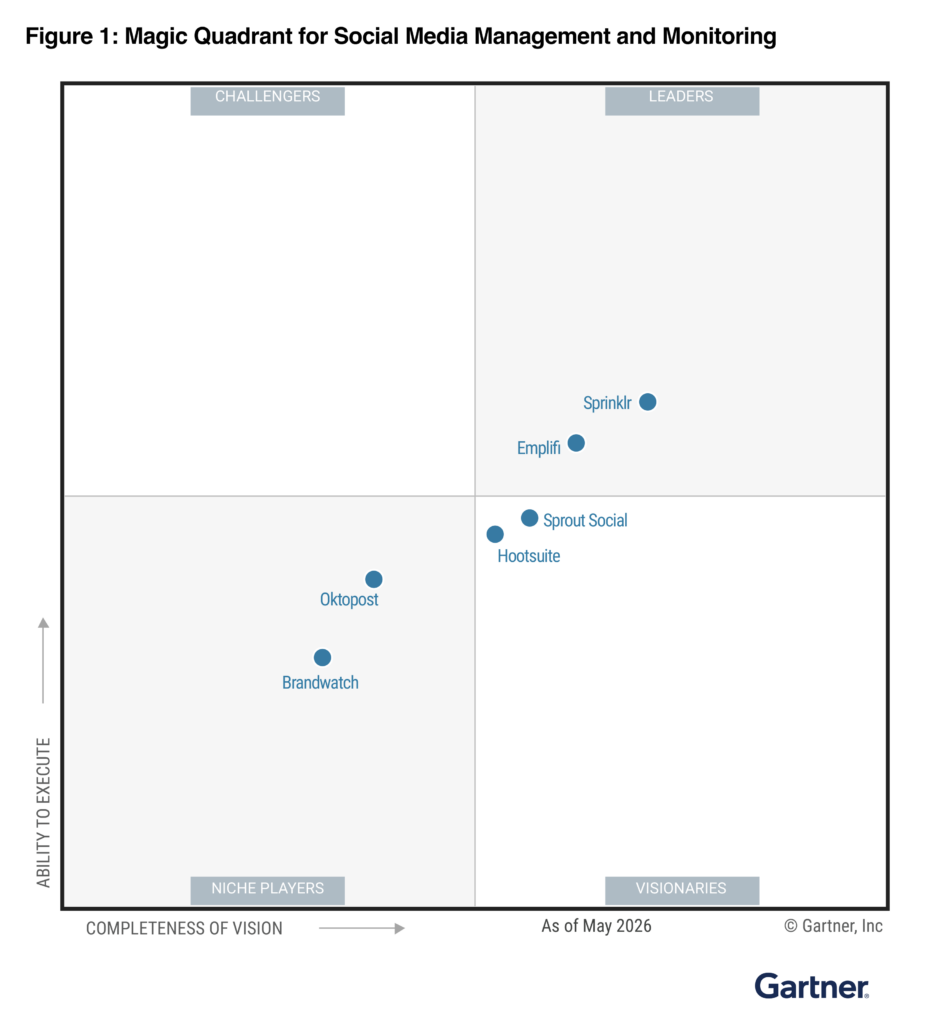
The 2026 template at the bottom of this guide is the same calendar structure that Emplifi customers run inside the Unified Campaign Calendar in Emplifi Publisher. It maps to the publishing motion behind 399 million posts and 754,000 brand profiles in the Emplifi 2025 Social Media Benchmarks Report. Emplifi is a Forrester Wave Leader in Social Suites (Q4 2024).
What is a social media content calendar?
A social media content calendar is the single planning surface where a brand schedules every piece of content it publishes across every social channel. At minimum it captures four things for each scheduled post: what is being published, where it is being published, when it is being published, and who is responsible for shipping it.
In 2026, that minimum is no longer enough for an enterprise team. The calendar has to coordinate organic posts, paid amplification, regional and language variants, creator and influencer drops, customer-care-driven posts, and crisis-response communications. It has to do that across a buying committee that usually includes brand, performance, regional, legal, and care leaders. And it has to do that in a feed environment where AI ranking models reward consistency and engagement velocity, so missed slots and ad-hoc Tuesdays compound into measurable engagement loss.
A modern social media content calendar therefore plays three roles at once. It is the editorial plan (what we publish and why), the operational plan (who ships it, when, and through what review), and the reporting spine that connects published activity back to the engagement and revenue it produced.
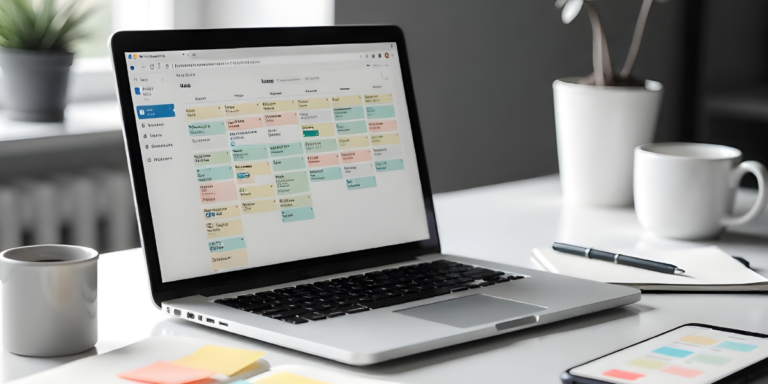
The free 2026 template at the bottom of this guide is built for all three roles. The 12-month editorial plan that ships with it gives a small or mid-size team a usable starting calendar. The enterprise version of the same calendar, inside the Unified Campaign Calendar in Emplifi Publisher, is the live system Emplifi customers run their global publishing operation on.
What should a social media content calendar include?
Use this section as the column inventory when you fill in the template, and as the audit checklist when you grade your existing calendar.
A complete 2026 social media content calendar tracks the following fields for every scheduled post.
1. Publishing slot. Date, local time, time zone, channel, account handle, and whether the slot is a fixed editorial slot (for example, the weekly Tuesday lifestyle post) or a flex slot opened by a campaign or moment.
2. Content payload. Headline or hook, body copy, link or call to action, asset references (image, video, Reel, carousel), captions, hashtags, alt text, and any platform-specific variants (for example, the Instagram Reel cut, the TikTok cut, the LinkedIn version of the same story).
3. Campaign and pillar tagging. The parent campaign, the messaging pillar, the product or solution it supports, the primary persona role it speaks to (use the public role label, not internal persona names), and the funnel stage. This is what later allows reporting to roll up post-level engagement to campaign-level outcomes.
4. Approval state. Draft, in legal review, in brand review, approved, scheduled, published, retired. Each state has an owner. The calendar should show the current state at a glance, not require a separate document.
5. Region, language, and market. Especially important for global brands. The calendar must show the regional fan-out for every parent post, including which markets translate verbatim from the approved English version and which markets adapt locally. (Per Emplifi global content best practice, English first, then translate from the approved English; never generate localized variants in parallel before approval.)
6. Asset rights and provenance. For user-generated content, influencer, and creator posts, the calendar references the rights record, the contract, and the usage window. For brand-shot content, it references the asset library record. The calendar should never carry an asset whose rights are not explicitly logged.
7. Cross-team dependencies. If the post depends on a paid amplification spend, a creator delivery, a product launch date, a press embargo lift, or a care team availability window, that dependency is visible from the calendar entry.
8. Performance fields. After publishing, the calendar entry holds the published-post URL, the platform post ID, the engagement and reach numbers, and the campaign-attributed result. These fields close the planning-to-reporting loop.
A calendar that captures all eight is the calendar an enterprise social team can plan, ship, and measure from. A calendar that captures only the first two is a content list, not a calendar.
What does an enterprise social media calendar look like compared to a small-team one?
The same eight fields apply at every team size. What changes is the operational surface around them: who has edit access, where the calendar lives, how approvals flow, how regional fan-out works, and how the calendar connects to the publishing system. Three operating models cover almost every team.
Manual calendar (whiteboard, doc, or shared inbox)
The simplest model. One person, usually the social manager, holds the calendar in a document or on a board. Approvals happen by direct message or email. The publishing handoff is a copy-paste into the platform’s native scheduler.
Manual calendars work for very small teams running one or two channels with a single approver. They break the moment a second region or a second approver enters the workflow, because the calendar is no longer the source of truth and revisions stop synchronizing.
Spreadsheet calendar
The default starting point for most marketing teams. A shared spreadsheet (Google Sheets, Excel) with one row per scheduled post, conditional formatting for approval state, and tabs per channel, region, or month. The free template at the bottom of this guide is a structured spreadsheet calendar, ready to fill.
A spreadsheet calendar scales to a small or mid-market team running four to six channels with two or three approvers. It begins to break when:
- More than one editor is in the file at the same time and version conflicts pile up.
- Approvals require routing through legal, brand, or regional reviewers who are not in the file.
- Translations and regional variants double the row count for every parent post.
- Performance reporting requires manual export, copy-paste, and stitching to channel analytics.
The spreadsheet calendar is a starter, not a destination.
Dedicated calendar inside a publishing platform
The mode every enterprise team converges on. The calendar lives inside the publishing platform itself (in Emplifi Fuel, that is the Unified Campaign Calendar in Emplifi Publisher), and the calendar entry is the post draft. Approvals route through configurable lanes by region, brand, or content type. AI suggests the optimal publishing window per post for each audience. Translations fan out from the approved English version. Performance fields autopopulate from the channel APIs after publishing.
This is the operating mode that supports a global publishing motion at scale. Crayola runs trend detection and AI-led scheduling on Emplifi Publisher and now responds to emerging trends 90% faster, with monitored TikTok engagement doubled. Aeromexico grew its social community 40% and lifted engagement 786% through Emplifi Community and Fuel AI-led scheduling. Jägermeister unified 150+ global social accounts in one platform on Content Orchestrator. Teams running on Emplifi Publisher schedule content 5x faster and recover 50% of campaign creation time as strategy time.
Comparison: the three operating models side by side
| Capability |
Manual (doc or whiteboard) |
Spreadsheet |
Dedicated platform (Emplifi Publisher) |
| Governance and approvals |
Ad hoc by direct message or email |
Conditional formatting plus a column for approver |
Configurable approval lanes by region, brand, content type, with full audit log |
| AI suggestion of optimal post time |
None |
None |
AI PrimeTime predicts per-post windows from your audience’s actual behavior |
| Multi-region and translation handling |
Manual duplication, fragile |
Tab-per-region or duplicate rows; sync drift is common |
Parent post fans out to regional variants, English-first then translated, single source of truth |
| Approval flow |
Linear, blocking, often unrecorded |
Email- or chat-driven; approval state lives in a column |
Native review lanes; legal, brand, regional reviewers each see only their queue |
| Asset rights tracking |
None or external sheet |
Manual columns, often skipped |
Linked to UGC, creator, and brand asset libraries with rights state |
| Performance reporting |
Manual; usually skipped |
Manual export and stitch |
Auto-populated from the channel APIs; rolls up to campaign and pillar |
| Crisis or moment response |
Slow; calendar is rarely the source of truth |
Hours to update across tabs |
Real-time update; crisis lane can pause or replace queued posts globally |
| Time saved versus manual baseline |
Baseline (none) |
15-30% on scheduling tasks |
Up to 50% of campaign creation time recovered as strategy time (Emplifi Publisher customer benchmark) |
| Recommended team size |
One channel, one approver |
4-6 channels, 2-3 approvers |
Enterprise, multi-brand, multi-region |
The pattern: as the team and channel count grow, the calendar’s job stops being to list posts and starts being to coordinate them. That coordination work is exactly what AI agents inside a unified publishing platform are built to handle.
How do you keep a social media content calendar accurate week-to-week?
A calendar that is accurate the day it is built and inaccurate three weeks later is the most common social ops failure mode. Three operating rituals keep the calendar live.
Step 1: Run a 30-minute weekly calendar standup
Same time each week, same agenda: review the next four weeks of slots, lock the next two weeks, and surface any moments, launches, or campaigns that should open a flex slot. Hold the standup with the editorial team, the regional leads, the paid lead, and a care representative. The output is a calendar where every locked post has an owner, an approver, and a publish date.
Step 2: Fold listening signals into the calendar daily
Trends and crises do not respect a four-week plan. Trend detection from social listening should land in the calendar within hours, not days. In Emplifi Fuel, that is the listening-to-publishing handoff: Emplifi Listening surfaces a moment, the Fuel AI trend detection scores it, and a flex slot opens in the Unified Campaign Calendar with a draft already populated. Crayola operates this loop in production and detects and responds to emerging trends 90% faster than before.
Step 3: Reconcile published posts to the calendar weekly
After every week, walk the calendar against the channel-side reality. Posts that shipped without a calendar entry are tagged and back-filled. Posts that stayed in draft are either scheduled or retired. Performance fields are populated. The reconciliation is the cleanup pass that prevents the calendar from drifting into a wishlist.
Step 4: Quarterly editorial replan
Every quarter, reread the calendar against the proprietary 2026 Emplifi Social Media Benchmarks data and your own channel analytics from the past 90 days. If the engagement curve on a channel has shifted, replan the cadence and the dominant time windows for the next quarter. The right posting time for your audience is the point where the benchmark and your own data agree, and that point moves.
What the rhythm looks like together
| Cadence |
Ritual |
Output |
| Daily |
Listening-to-publishing reconciliation |
Flex slots opened or closed against trend and crisis signals |
| Weekly |
Calendar standup |
Two-week lock, four-week visibility |
| Weekly |
Published-post reconciliation |
Performance fields populated, drift cleaned |
| Quarterly |
Editorial replan |
Updated cadence, dominant time windows, channel mix |
The rhythm is the calendar. Without it, the document on the wall is a snapshot of last month’s intent.
How does AI change the social media content calendar in 2026?
AI changes the calendar in three distinct places, and the change is now far enough along that it is no longer credible to plan a 2026 calendar without accounting for it.
1. AI decides when each post publishes. AI PrimeTime, the predictive scheduling engine in Emplifi Publisher, watches the actual engagement behavior of a brand’s specific followers across Instagram, Facebook, TikTok, LinkedIn, and YouTube and predicts the precise window when each post is most likely to win early-engagement velocity. The calendar slot becomes “Tuesday, AI PrimeTime window 1,” not “Tuesday 9:00 a.m.” See the companion guide on best times to post on social media for the underlying engagement-velocity dynamic and the cross-platform benchmark windows.
2. AI drafts the post and the regional fan-out. Inside Emplifi Publisher, AI Composer drafts copy variants from a brief, fits them to each channel’s character constraints and tone, and proposes the regional translations from the approved English version. The human approves and edits. The agentic AI handles the volume.
3. AI flags posts the calendar shouldn’t ship. Crisis Emergency Stop is the productized version of the brand-safety guardrail. When listening picks up a category-level crisis or a brand-relevant negative spike, queued posts that would land badly are automatically paused for review. The calendar pauses with them, and the social manager is notified before, not after.
The shared pattern across all three: the calendar is no longer a static document an operator types into. It is a coordination surface where Fuel AI agents propose, the human approves, and the publishing platform executes. That is the Autonomous CX (A-CX) operating model applied to publishing.
What does a 12-month social media content calendar look like?
The free template ships with a 12-month editorial plan baked in. The plan rests on four content pillars that hold up across nearly every B2C and B2B brand.
Pillar 1: Always-on brand storytelling (~40% of slots). Steady-cadence posts that reinforce the brand’s voice, products, and mission. These are the posts that earn affinity from the AI ranking models and keep the audience warm between campaigns.
Pillar 2: Product, launch, and offer moments (~25% of slots). Coordinated campaign waves around new product, season, promotion, and launch dates. These are the high-leverage slots; they receive the most cross-team review and the strongest paid amplification.
Pillar 3: Customer and creator storytelling (~20% of slots). UGC, creator drops, customer story features, and ratings-and-reviews-driven content. UGC posts typically outperform brand-shot content on conversion. Carhartt drove a 27% conversion rate from UGC gallery engagement and $150K in revenue from user-submitted content. Kimpton Hotels collected 3.6M travel photos across 80+ destinations and converted at 2.8x the rate of non-UGC product pages.
Pillar 4: Listening-driven and care-driven posts (~15% of slots). The flex slots that open from social listening signals, customer questions on social DMs and reviews, and crisis-response moments. These slots are intentionally not pre-loaded; they are the ones AI listening and the daily standup populate live.
The 12 months in the template alternate the four pillars by week so that the cadence is predictable, the AI ranking models read the brand as consistent, and the team is never carrying 100% of the calendar in one pillar at once.
Frequently asked questions about social media content calendars
How far in advance should a social media content calendar be planned? Lock the next two weeks; have visibility into the next four; sketch the next twelve. Beyond twelve weeks, plan campaign waves, not individual posts. The calendar is supposed to hold a quarter of strategy and a fortnight of execution, not the other way around.
Should a social media content calendar be in a spreadsheet or in a tool? Use the spreadsheet template below if you are running one or two channels with a single approver. Move into a publishing platform the moment you cross four channels, multiple regions, or two approvers. The spreadsheet stops being the source of truth long before most teams admit it.
How does Emplifi’s content calendar work differently from a generic template? The Emplifi Unified Campaign Calendar inside Publisher is not a list view. The calendar entry is the post draft, the approval workflow, the regional fan-out, and the performance record, all in one record. AI PrimeTime predicts the optimal publishing window per post. Listening-driven flex slots open automatically. Crisis Emergency Stop pauses queued posts when brand-safety signals fire. The end-to-end loop is the productized version of the Autonomous CX operating model.
What’s the difference between a content calendar and a campaign calendar? A content calendar lists every post on every channel by date. A campaign calendar groups those posts by parent campaign, with start and end dates, owner, and goal. A complete 2026 calendar holds both views from the same underlying records, which is why the Unified Campaign Calendar earns its name.
How do enterprise teams handle translation and regional variants in the calendar? English-first. Generate and approve the English variant, then translate from the approved version into each market. Never generate parallel localized variants before English approval; the rework cost is high and brand-voice drift is hard to recover from.
Where is the actual template? Below, in the next section. The template is a structured XLSX with the eight required fields, conditional formatting for approval state, regional fan-out tabs, and a 12-month editorial plan filled in.
Get the free 2026 social media content calendar template
The 2026 template includes:
- A pre-filled 12-month editorial plan grouped by the four content pillars above.
- One row per scheduled post with all eight required fields (publishing slot, content payload, campaign and pillar tagging, approval state, region and language, asset rights, dependencies, performance fields).
- Tabs for organic, paid, creator, and care-driven content.
- A conditional-formatting cheat sheet for approval state.
- A reconciliation sheet for the weekly published-post walk-through.
Download the free 2026 Social Media Content Calendar template
If your team is already past the spreadsheet stage, the next step is the live calendar inside Emplifi Publisher. A 30-day Publisher pilot returns a configured Unified Campaign Calendar mapped to your brand, approval lanes, and regional structure, plus an AI PrimeTime profile per channel and an audited cadence baseline.
Where to read more
- Emplifi Publisher and the Unified Campaign Calendar: /product/publisher/
- Best times to post on social media in 2026 (Now that AI decides feed order): /resources/blog/best-times-to-post-on-social-media/
- Social media strategy: the 2026 enterprise playbook: /resources/blog/social-media-strategy/
- State of Social Media Marketing Report 2026: /resources/state-of-social-media-marketing-report-2026/
- 2025 Emplifi Social Media Benchmarks Report (399M posts, 754K brand profiles): /resources/social-media-benchmarks-report/
See the live calendar in your environment
The fastest way to evaluate whether the Emplifi Unified Campaign Calendar fits your publishing motion is to map your current calendar onto Emplifi Publisher in a 30-day pilot. The pilot returns a per-channel AI PrimeTime profile, a configured approval workflow, a regional fan-out structure, and a reconciliation baseline so you can compare campaign creation time before and after.
Request a Publisher assessment · Get the State of Social Media Marketing 2026 Report · Download the 2026 Social Media Content Calendar template
Sources: Emplifi 2025 Social Media Benchmarks Report (399 million posts across 754,000 brand profiles); Emplifi State of Social Media Marketing Report 2026 (564 marketer survey, B2C and B2B); Emplifi Publisher product documentation; Emplifi Master Customer Proof Library (Crayola, Aeromexico, Jägermeister, Carhartt, Kimpton Hotels); Forrester Wave: Social Suites, Q4 2024. All customer outcomes are sourced to the Emplifi proof library and reflect the most recent verified figures.