Emplifi Fuel AI
EMPLIFI FUEL AI

Tell Fuel AI what you need. It gets it done.

Fuel AI is the agentic AI layer inside Emplifi Fuel – the only Autonomous CX (A-CX) platform on the market that makes a team of 5 feel like 50.

Book a demo

What makes Fuel AI different

One prompt. Full context. Full control.

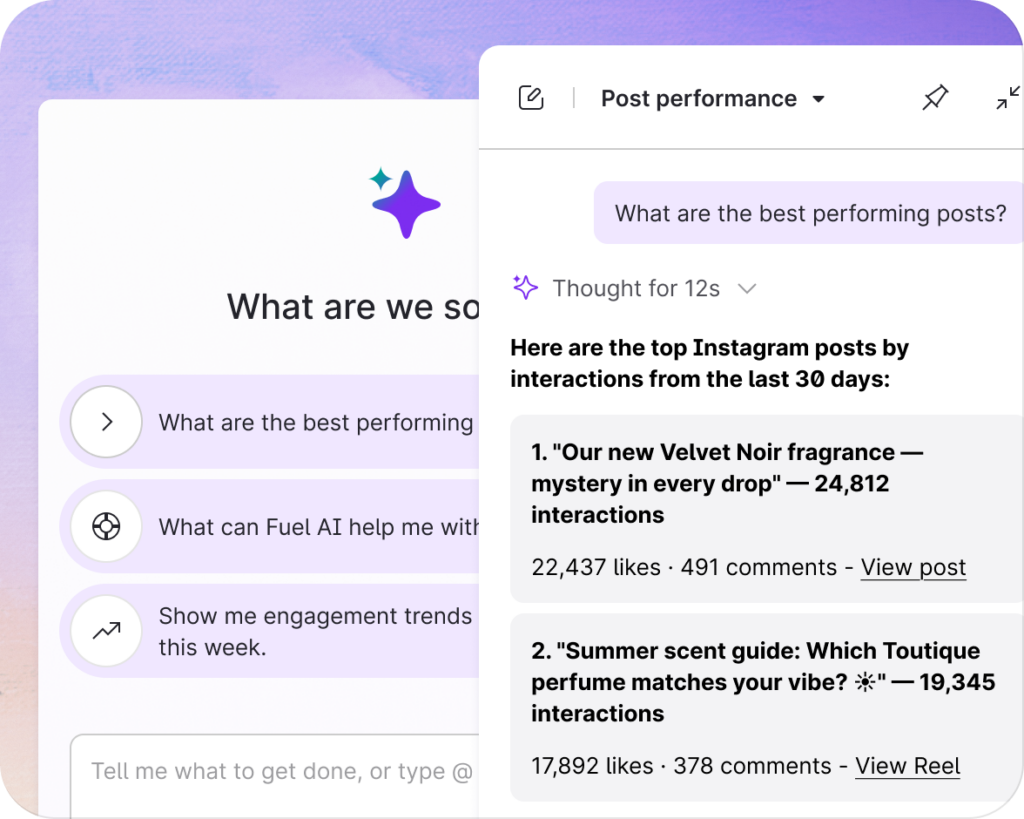
Fuel AI lives in a chat panel on the right of Emplifi and stays with you as you move between products. Ask why engagement dropped, build a board, label last quarter’s posts or set up a Listening topic. Every answer comes from your own account, so you get results you can use, not general advice.

It knows your account. You approve every change.

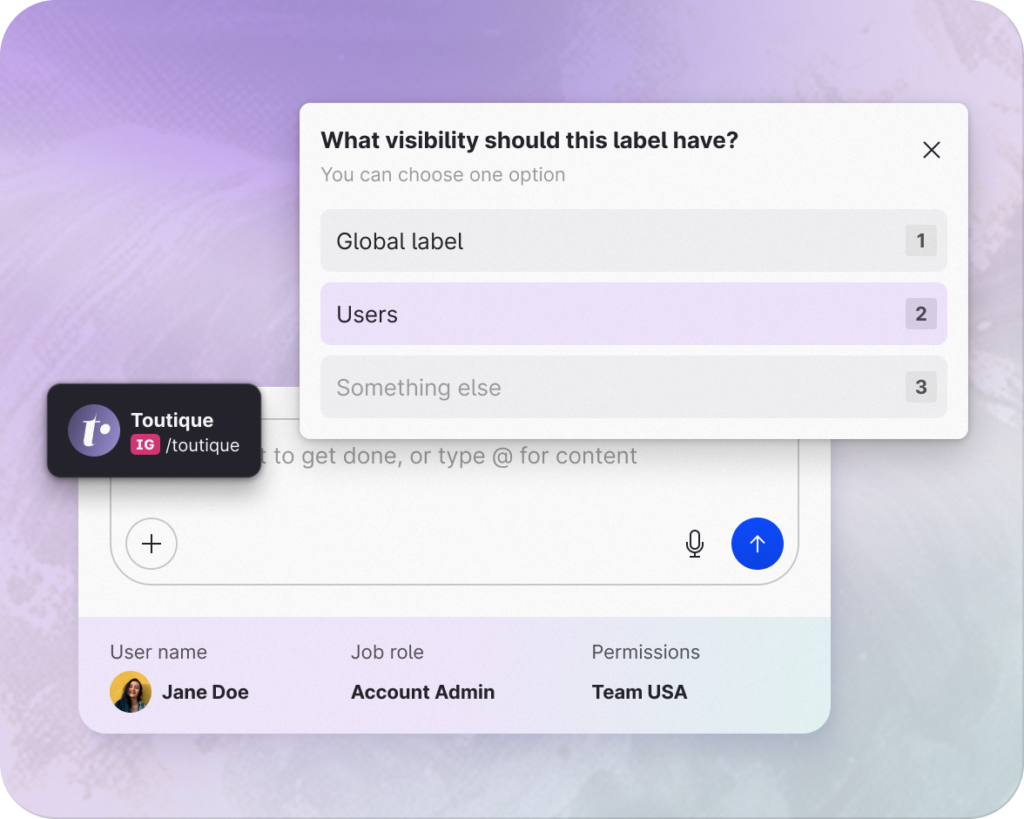
Fuel AI answers from your own account data and works within your permissions, so it can never do more than you can. Point it at a profile with @, and it asks when a request needs more context. Fuel AI won’t create, change or delete anything without your approval.

What is Fuel AI?

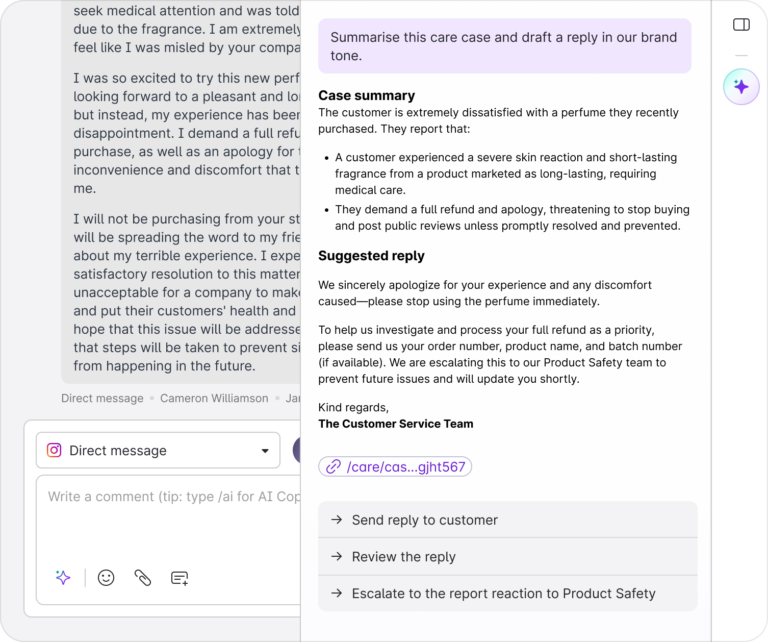
Fuel AI is Emplifi’s agentic AI layer for social media and customer experience. You ask for what you need in plain language. Its agents then do the work. They analyze performance, build reports, draft and schedule content, route approvals and triage care cases. Fuel AI also works in the background. It flags anomalies, sentiment spikes and opportunities before you think to ask.

250+

Actions Fuel AI can take across Emplifi, with new ones added every week

No setup and no migration.
Fuel AI connects directly to the data and workflows you already use in Emplifi.

5 hrs saved

of manual tagging in a bulk labeling job, now handled in a single request

Bridge your LLMs to Emplifi data with MCP
Prefer Claude, ChatGPT, Cursor or Codex? Connect them to Fuel AI with one sign-in and no API keys.

Fuel AI MCP

Turn scattered content work into coordinated execution

From first draft to performance insight, Fuel AI works across Publisher, Content Hub, Listening, and Unified Analytics. Your content team spends less time switching tools and more time on what performs. See example prompts below:
GUIDED PUBLISHING
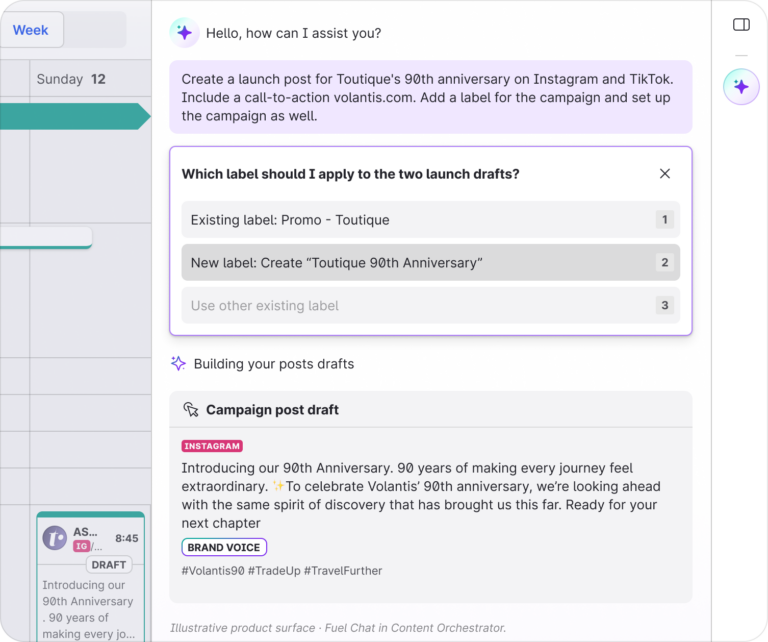
“Draft a post for our new campaign and set it up for approval.”
BUILD & EXPLAIN THE DATA
“Build a board of our Instagram performance this month and explain what we should do next.”
SUMMARIZE LISTENING
“Show the top themes and sentiment for my brand listening topic this week”
LABEL IN BULK
“Go back over last quarter’s posts and label anything that mentions our new product.”
INTERACTIVE TOUR

See Fuel AI in action: from brief to approved post

Watch Fuel AI turn a campaign brief into channel-specific posts, timed for peak engagement and ready for approval, in just a few clicks.

The Fuel AI for Content Creation & Publishing demo shows how Emplifi Fuel AI supports campaign creation from brief to publication. The user clicks Get started, then selects Next to view Fuel AI Suggestions for Publisher, which recommends the next action instead of starting from a blank page. In Campaign Brief, the user describes a launch in one or two sentences, and Fuel AI builds campaign themes, structure, timing, and tracking. The user then co-creates content with Fuel AI using performance analysis and asset comparisons. AI Image Scoring evaluates visuals for expected social media performance, while Asset Recognition automatically labels product-library assets so post performance can be tracked without manual tagging. AI Composer creates brand-aligned messaging, translates it into more than 30 languages, and supports regional variations. UTM Automation applies campaign link-tracking parameters for monitoring traffic, link performance, and conversions within Emplifi. The demo continues with PrimeTime, which analyzes historical engagement to identify suitable posting times for each account and format. Fuel AI evaluates captions, hashtags, and calls to action for different social platforms using platform guidelines and account performance data before the user publishes cross-platform content. Approval Flows, Assignments and Notes keep post status, ownership, internal notes, and team sign-off in the workflow, so content is not published until approval. The Activity Log provides visibility into what changes were made and who made them. The demo ends with a Get started button that opens the demo form.
The biggest challenge facing enterprise teams isn’t a lack of customer data; it’s turning that data into action quickly enough to make a difference. Autonomous Customer Experience isn’t about replacing people with AI. It’s about augmenting their capabilities by removing routine work, connecting strategy to customer intelligence, and helping them respond at the speed consumers expect.
Omer Sharon Chief Product and Technology Officer, Emplifi
FREQUENTLY ASKED QUESTIONS

Questions? We have the answers!

Fuel AI is Emplifi’s agentic AI layer. It sits on top of Emplifi, understands the account it’s working in, and carries out work for you through the same actions the product itself uses, from explaining your numbers to building boards, drafting posts and labeling content.

No. A chatbot answers questions. Fuel AI reads your account, works on what needs to happen and carries out the work, with your approval.

Open the Fuel AI chat panel in the top right of Emplifi. It stays open as you move between modules, so you can ask from wherever you’re working. Type @ to add context, like a specific profile. Not sure what to ask? Try “Give me a list of all the prompts I can run in Fuel AI.”

Yes, the Emplifi Fuel MCP server lets AI tools like Claude, ChatGPT, Cursor and Codex work with your Emplifi data and actions. It runs under your existing Emplifi permissions, so it can only do what the signed-in user is allowed to do, and your admin decides who has access. Want to learn more? Book a demo or chat with your account manager.

No. Fuel AI drafts content for you, and publishes or submits an existing draft only when you ask. It does not send replies to Care cases; replies stay with your agents.

Only the data already in your Emplifi account, from the profiles you have connected. For each request, only the information needed for that request is used, and Fuel AI warns you if a request contains personal information. For security, privacy, and AI model details, see the Trust Center or ask your CSM.

That’s Fuel AI Lite. It answers Help & Support questions from Emplifi documentation and is available to every customer at no cost. The full Fuel AI agent goes further: it reads, analyzes and takes action across your account.

Yes. Fuel AI replies in the language you write in, and it can create labels and other objects in any language.

Talk to your CSM. They can set your team up to try the full Fuel AI agent with free trial credits sized to your Social package, then help you choose the right option to keep going.

Outpace your competition with easy-to-use, innovative solutions

We’re recognized as a market leader in innovation, customer support, and ease of use from these organizations.

Gartner logo
Info-Tech 2026 Data Quadrant Leader badge for Social Media Management Enterprise
MarTech Breakthrough Award 2026 badge
TrustRadius Buyer's Choice Award 2026 badge
Forrester Wave Leader 2024 badge for Social Suites
Forrester Wave Customer Favorite 2024 badge for Social Suites
IDC Leader badge recognizing Emplifi as a market leader
G2 Leader Enterprise Winter 2024 badge
G2 Easiest Setup Enterprise Winter 2024 badge
Silver award badge from the American Business Awards
This site is registered on wpml.org as a development site. Switch to a production site key to remove this banner.