2026 Gartner® Magic Quadrant™

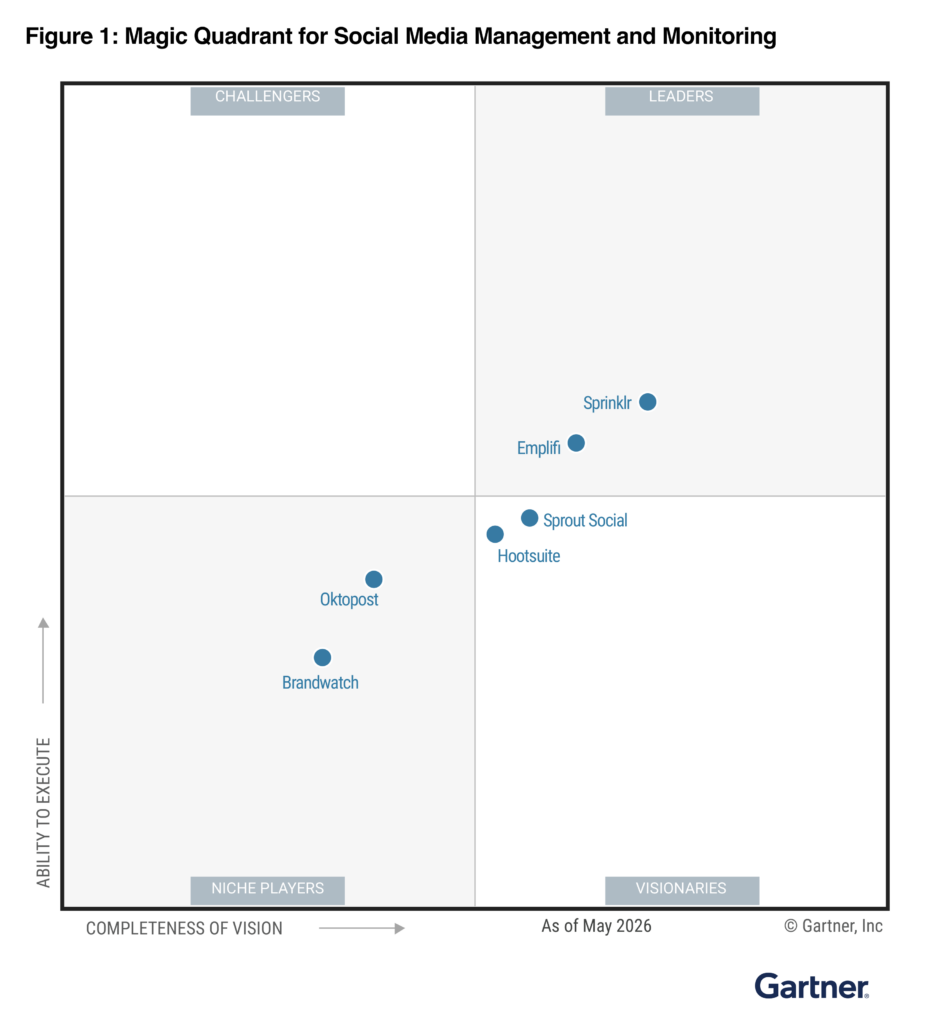
Emplifi named a Leader in the 2026 Gartner® Magic Quadrant™ for Social Media Management and Listening

Get the Report

Emplifi named a Leader in the 2026 Gartner® Magic Quadrant™ for Social Media Management and Listening Get the Report

Emplifi Integrations

Connect Emplifi to the tools your teams already use

Emplifi Fuel is our unified Autonomous CX platform for social marketing, social commerce and social care, connected to the channels, storefronts, CRMs, email platforms and data tools your team already runs.

Below, you’ll find 65 documented connections across 10 categories, each one linked to its Emplifi documentation page.

A sample of the platforms Emplifi connects to

Social networks and messaging

Every social and messaging channel a brand can connect and work in, with the documented capability per channel.

Facebook logo
Native integration

Facebook

Connect Facebook pages to publish, read insights, answer comments and messages, collect UGC, and run listening. Available in: Social Marketing, Social Commerce, Social Care.
Explore the documentation
Instagram logo
Native integration

Instagram

Connect business Instagram accounts to publish, read insights, reply in Community and Care, and collect stories and posts as UGC. Available in: Social Marketing, Social Commerce, Social Care.
Explore the documentation
X logo
Native integration

X (formerly Twitter)

Connect X profiles to publish, read insights, handle mentions and messages in Community and Care, and run listening queries. Available in: Social Marketing, Social Commerce, Social Care.
Explore the documentation
LinkedIn logo
Native integration

LinkedIn

Connect LinkedIn company pages to publish, read page insights, and manage comments and messages in Community. Available in: Social Marketing, Social Care.
Explore the documentation
TikTok logo
Native integration

TikTok

Connect TikTok accounts to publish, read insights, reply to comments, collect creator videos, and use Spark Ads content. Available in: Social Marketing, Social Commerce, Social Care.
Explore the documentation
YouTube logo
Native integration

YouTube

Connect YouTube channels to publish videos, read channel insights, moderate comments, and collect video content as UGC. Available in: Social Marketing, Social Commerce, Social Care.
Explore the documentation
Pinterest logo
Native integration

Pinterest

Connect Pinterest accounts to see account insights and publish pins directly from Emplifi. Available in: Social Marketing.
Explore the documentation
Threads logo
Native integration

Threads

Connect a Threads account to publish content to Threads directly from Emplifi. Available in: Social Marketing.
Explore the documentation
Snapchat logo
Native integration

Snapchat

Connect a Snapchat account to see its insights inside Emplifi analytics and dashboards. Available in: Social Marketing.
Explore the documentation
WhatsApp logo
Native integration

WhatsApp Business

Connect a WhatsApp Business account to send and receive customer messages in Community, Care, and Emplifi Bot. Available in: Social Care, Social Marketing.
Explore the documentation
Google Business Profile logo
Native integration

Google Business Profile

Connect Google Business locations to get notified about reviews and reply to them from Community and Care. Available in: Social Care, Social Commerce, Social Marketing.
Explore the documentation
Reddit logo
Native integration

Reddit

Collect Reddit mentions through Listening, then reply, upvote or downvote them from Community and Care. Available in: Social Marketing, Social Care.
Explore the documentation

Paid social and ad accounts

Ad accounts that bring paid spend and performance into the same reporting as organic.

Meta logo
Native integration

Meta Ads

Connect Meta ad accounts to report on ad spend, cost and engagement across Facebook, Instagram, Threads, WhatsApp, Messenger and Audience Network. Available in: Social Marketing.
Explore the documentation
TikTok for Business logo
Native integration

TikTok Ads

Connect TikTok ad accounts to report on paid performance across TikTok, Pangle and the TikTok Global App Bundle. Available in: Social Marketing.
Explore the documentation
X logo
Native integration

X Ads

Connect X ad accounts to report on paid performance across X and its publisher network. Available in: Social Marketing.
Explore the documentation
Unified Analytics

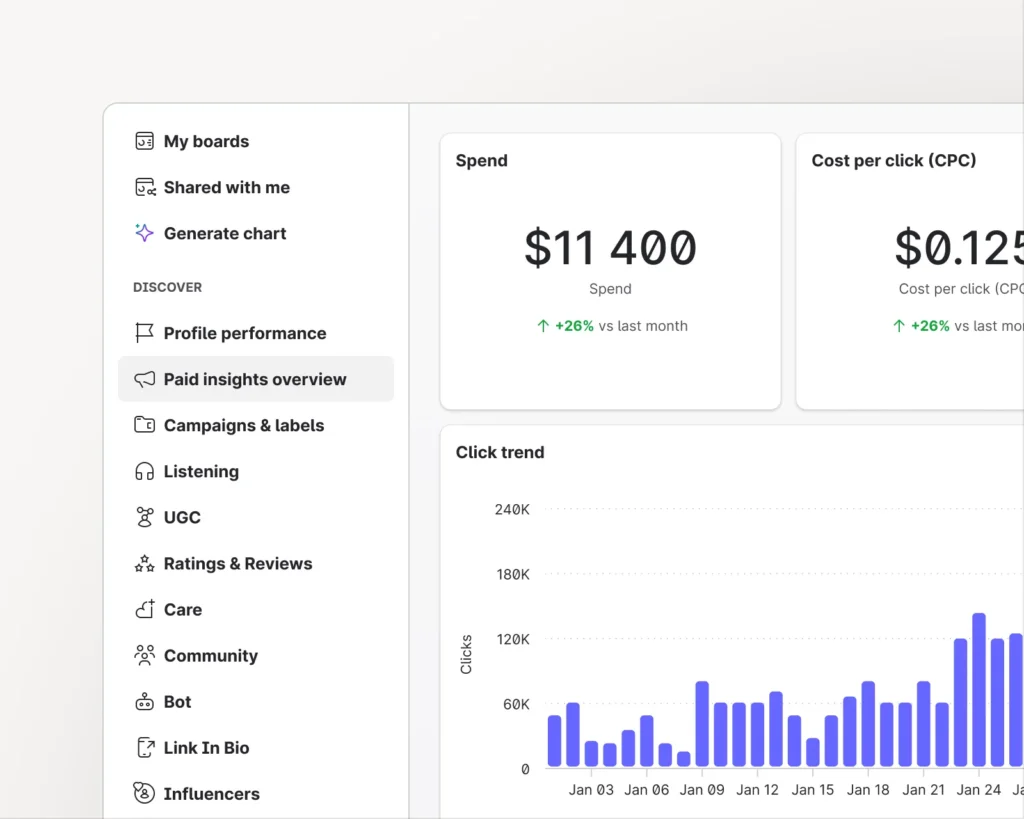
See paid and organic social analytics in Unified Analytics

Connect these ad accounts and social profiles to Emplifi, and their analytics are available in Emplifi Unified Analytics.

Emplifi Unified Analytics social media analytics dashboard
Paid social analytics

Ad accounts and networks

Paid performance from these platforms is available in Unified Analytics:

  • Facebook
  • Instagram
  • Messenger
  • Audience Network (Meta)
  • X (formerly Twitter)
  • Publisher Network (X)
  • TikTok
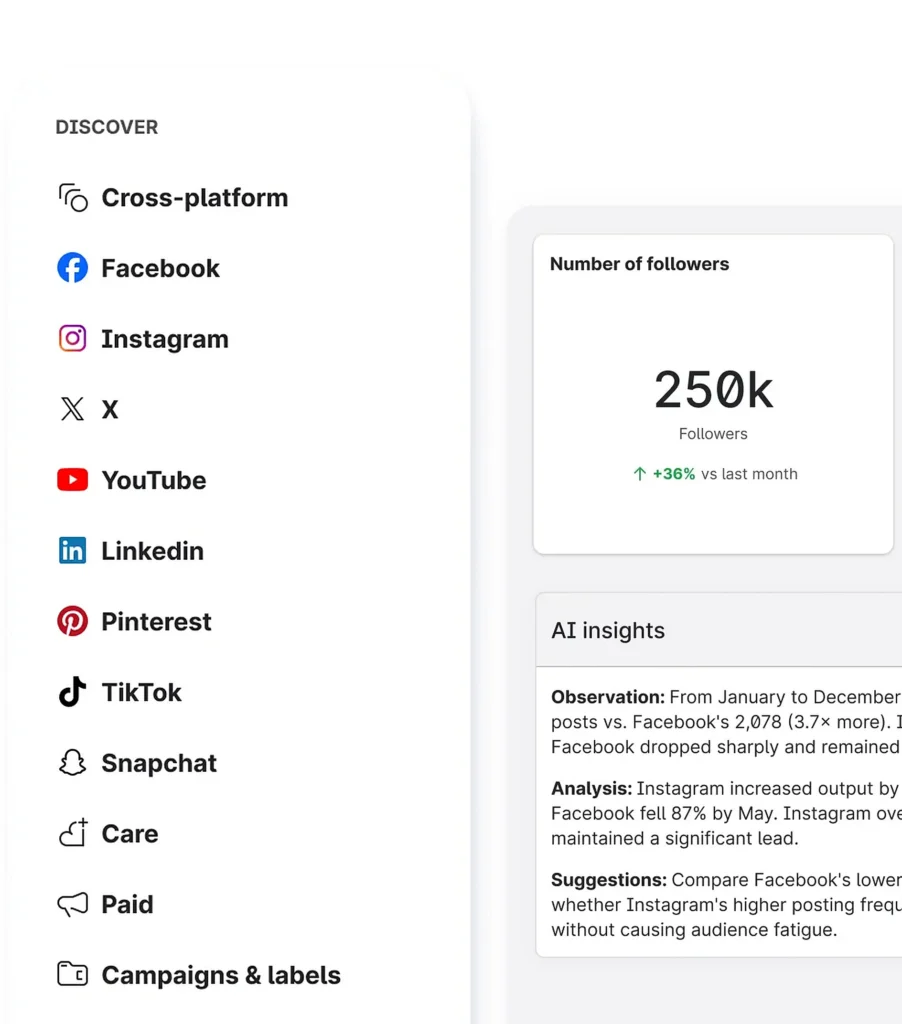
Emplifi Unified Analytics showing the Discover menu of social platforms, a follower count card and AI insights
Organic social analytics

Owned social profiles

Organic performance from these platforms is available in Unified Analytics:

  • Facebook
  • Instagram
  • X (formerly Twitter)
  • TikTok
  • YouTube
  • LinkedIn
  • Pinterest
  • Snapchat

CRM and customer service

Where a social conversation or a review becomes a case in the systems your service team already runs.

Salesforce logo
Native integration

Salesforce Service Cloud

Escalate social conversations into Salesforce cases and leads, sync Care cases two ways, and work Care inside Salesforce. Available in: Social Care, Social Marketing.
Explore the documentation
Gladly logo
Partner or marketplace integration

Gladly

Show Emplifi reviews inside Gladly, turn flagged reviews into agent tasks, and publish responses back to Emplifi. Available in: Social Commerce, Social Care.
Explore the documentation
Partner or marketplace integration

Reputation Studio (1440)

Turn Emplifi reviews and shopper questions into Salesforce Service Cloud tickets and publish agent answers back to Emplifi. Available in: Social Commerce, Social Care.

Explore the documentation
API/developer connection

Zendesk

Emplifi's Public API lets you connect to Zendesk to automate workflows like tagging social comments and creating support tickets. Available on request via your Emplifi account settings and Customer Success Manager. Available in: Social Care.
Explore Care documentation

Commerce and syndication

Storefront platforms and the syndication network that carry reviews and shoppable content.

Shopify logo
Native integration

Shopify

Embed Emplifi UGC on a Shopify storefront, sync a shoppable album to the Shop app, and show reviews widgets. Available in: Social Commerce, Social Marketing.
Explore the documentation
Adobe Commerce logo
Native integration

Adobe Commerce (Magento)

Install the Emplifi extension on Adobe Commerce to show reviews widgets and pass catalog, order and rating data automatically. Available in: Social Commerce.
Explore the documentation
Salesforce logo
Native integration

Salesforce B2C Commerce

Add Emplifi Ratings and Reviews widgets to a Salesforce B2C Commerce storefront using the documented SiteGenesis or SFRA implementation. Available in: Social Commerce.
Explore the documentation
Emplifi syndication network icon
Native integration

Emplifi syndication network

Share reviews from a brand site to retailer sites, and receive syndicated reviews as a recipient site. Available in: Social Commerce.
Explore the documentation

Reviews, loyalty and visual content

Loyalty, personalization and visual content partners that read or enrich Emplifi review content.

Native integration

CrowdTwist

Reward shoppers with loyalty points when they submit reviews, questions or answers, and label that content as incentivized. Available in: Social Commerce.
Explore the documentation
Bazaarvoice logo
Native integration

Bazaarvoice (Curalate)

Push shopper images collected by Emplifi into Curalate Fanreel and the Curalate media library every night. Available in: Social Commerce.
Explore the documentation
Native integration

Social Native (Olapic)

Send shopper photos captured in visual reviews to Olapic so the same assets can be activated on site. Available in: Social Commerce.
Explore the documentation
Partner or marketplace integration

Movable Ink

Let Movable Ink pull current ratings and reviews by SKU so emails and messages show live review content. Available in: Social Commerce, Social Marketing.
Explore the documentation

Email service providers

The email platforms that send Emplifi review requests and question emails to shoppers.

Braze logo
Native integration

Braze

Send Emplifi review request and question emails through Braze transactional campaigns, including inbox submission. Available in: Social Commerce, Social Marketing.
Explore the documentation
Klaviyo logo
Native integration

Klaviyo

Send Emplifi review request emails from Klaviyo and share review data back to Klaviyo for segmentation and flows. Available in: Social Commerce, Social Marketing.
Explore the documentation
Native integration

Listrak

Send Emplifi review request and question emails through Listrak campaigns. Available in: Social Commerce, Social Marketing.
Explore the documentation
Native integration

Oracle Responsys

Trigger Emplifi review emails through Oracle Responsys campaigns using its REST API. Available in: Social Commerce, Social Marketing.
Explore the documentation
Native integration

Sailthru (Marigold)

Send Emplifi review request and question emails through Sailthru. Available in: Social Commerce, Social Marketing.
Explore the documentation
Salesforce logo
Native integration

Salesforce Marketing Cloud

Trigger Emplifi review request and question emails from Salesforce Marketing Cloud using triggered send definitions. Available in: Social Commerce, Social Marketing.
Explore the documentation
Twilio logo
Native integration

SendGrid

Send Emplifi review and question emails through SendGrid, the default sender for Emplifi Ratings and Reviews. Available in: Social Commerce, Social Marketing.
Explore the documentation
Native integration

Cordial

Send Emplifi review request emails through Cordial, with full integration including Inbox Submission. Available in: Social Commerce, Social Marketing.
Explore the documentation
Native integration

CheetahMail (Marigold)

Send Emplifi review request emails through CheetahMail, listed in the docs as CheetahMail (Experian). Available in: Social Commerce, Social Marketing.
Explore the documentation
SMS review collection with your SMS provider icon
Native integration

Dotdigital

Send Emplifi review request emails through Dotdigital, listed in the docs as Dot Mailer. Available in: Social Commerce, Social Marketing.
Explore the documentation
Native integration

SAP Emarsys

Send Emplifi review request emails through SAP Emarsys, listed in the docs as Emarsys. Available in: Social Commerce, Social Marketing.
Explore the documentation
Mailchimp logo
Native integration

Mailchimp Transactional Email

Send Emplifi review request emails through Mailchimp Transactional Email, listed in the docs as Mandrill. Available in: Social Commerce, Social Marketing.
Explore the documentation
Mapp logo
Native integration

Mapp

Send Emplifi review request emails through Mapp, the marketing platform the docs list as Mapp. Available in: Social Commerce, Social Marketing.
Explore the documentation
Native integration

Maropost

Send Emplifi review request emails through Maropost. Available in: Social Commerce, Social Marketing.
Explore the documentation
Native integration

SparkPost

Send Emplifi review request emails through SparkPost. Available in: Social Commerce, Social Marketing.
Explore the documentation
Native integration

Yesmail

Send Emplifi review request emails through Yesmail. Available in: Social Commerce, Social Marketing.
Explore the documentation

Content and asset libraries

Cloud storage, asset libraries and publishing utilities that feed content into Emplifi.

Google Drive logo
Native integration

Google Drive

Pull images and video from Google Drive straight into Publisher posts, Community replies and Content Hub collections. Available in: Social Marketing, Social Commerce, Social Care.
Explore the documentation
OneDrive logo
Native integration

OneDrive

Pull assets from OneDrive into Publisher posts, Community replies and Content Hub collections. Available in: Social Marketing, Social Commerce, Social Care.
Explore the documentation
Box logo
Native integration

Box

Pull assets stored in Box into Publisher posts, Community replies and Content Hub collections. Available in: Social Marketing, Social Commerce, Social Care.
Explore the documentation
Dropbox logo
Native integration

Dropbox

Pull assets stored in Dropbox into Publisher posts, Community replies and Content Hub collections. Available in: Social Marketing, Social Commerce, Social Care.
Explore the documentation
Gmail logo
Native integration

Gmail

Attach files from Gmail to Publisher posts, Community replies and Content Hub collections. Available in: Social Marketing, Social Commerce, Social Care.
Explore the documentation
Google Photos logo
Native integration

Google Photos

Pull photos from Google Photos into Publisher posts, Community replies and Content Hub collections. Available in: Social Marketing, Social Commerce, Social Care.
Explore the documentation
Bynder logo
Native integration

Bynder

Bring approved brand assets from Bynder into Publisher posts, Community replies and Content Hub collections. Available in: Social Marketing, Social Commerce, Social Care.
Explore the documentation
Native integration

Adobe Experience Manager

Bring assets managed in Adobe Experience Manager into Publisher posts, Community replies and Content Hub collections. Available in: Social Marketing, Social Commerce, Social Care.
Explore the documentation
Bitly logo
Native integration

Bitly

Shorten links inside Publisher posts with Bit.ly, with clicks tracked in Emplifi analytics. Available in: Social Marketing.
Explore the documentation

Identity and single sign-on

How your team and your shoppers sign in, through your identity provider or your own authentication system.

Native integration

Okta

Sign in to Emplifi with Okta using the preconfigured Emplifi app in the Okta catalog. Available in: Social Marketing, Social Commerce, Social Care.
Explore the documentation
Native integration

OneLogin

Sign in to Emplifi with OneLogin using the Emplifi entry in the OneLogin application catalog. Available in: Social Marketing, Social Commerce, Social Care.
Explore the documentation
Microsoft Entra ID logo
Native integration

Microsoft Entra ID

Sign in to Emplifi with Microsoft Entra ID, the identity service formerly called Azure Active Directory. Available in: Social Marketing, Social Commerce, Social Care.
Explore the documentation
Any SAML 2.0 identity provider icon
Native integration

Any SAML 2.0 identity provider

Use any SAML 2.0 identity provider for Emplifi sign-in, set up through the self service single sign-on guide. Available in: Social Marketing, Social Commerce, Social Care.
Explore the documentation
Ratings and Reviews widget single sign-on icon
API/developer connection

Ratings and Reviews widget single sign-on

Pass your logged-in shoppers straight into Emplifi review widgets so they can post without a second login. Available in: Social Commerce.
Explore the documentation

APIs, data and analytics

Build your own connection: documented APIs, webhooks, scheduled feeds, exports and the analytics connector Emplifi supports.

Looker Studio logo
Native integration

Looker Studio

Pull Emplifi social metrics into Looker Studio dashboards through the Emplifi connector. Available in: Social Marketing, Social Commerce, Social Care.
Explore the documentation
Emplifi public API icon
API/developer connection

Emplifi public API

Build your own reports and applications on Emplifi data with the public API, documented at api.emplifi.io. Available in: Social Marketing, Social Commerce, Social Care.
Explore the documentation
Emplifi Ratings and Reviews API icon
API/developer connection

Emplifi Ratings and Reviews API

Build review collection and display into your own storefront or systems with the Ratings and Reviews API. Available in: Social Commerce.
Explore the documentation
Emplifi Ratings and Reviews webhooks icon
Webhook, automation, or custom connection

Emplifi Ratings and Reviews webhooks

Receive review and question events in real time so PIM, ecommerce or help desk systems update themselves. Available in: Social Commerce, Social Care.
Explore the documentation
Ratings and Reviews data feeds icon
Data export or import

Ratings and Reviews data feeds

Exchange catalog, order, review and opt out data with Emplifi through scheduled file and JavaScript feeds. Available in: Social Commerce.
Explore the documentation
Emplifi platform exports icon
Data export or import

Emplifi platform exports

Move Emplifi reporting, community, profile and user data into your own systems through scheduled and manual exports. Available in: Social Marketing, Social Commerce, Social Care.
Explore the documentation
Custom APIs in Emplifi Bot icon
Webhook, automation, or custom connection

Custom APIs in Emplifi Bot

Let Emplifi Bot call your own systems during a conversation so answers use live data from other applications. Available in: Social Care.
Explore the documentation
SMS review collection with your SMS provider icon
Webhook, automation, or custom connection

SMS review collection with your SMS provider

Collect reviews over SMS by embedding an Emplifi magic link in messages sent by your own SMS provider. Available in: Social Commerce.
Explore the documentation
FAQ

Frequently asked questions about Emplifi integrations

The Emplifi integrations page lists every documented connection between Emplifi Fuel and the other systems a brand runs: 65 connections in 10 categories. The categories are social networks and messaging, paid social and ad accounts, Unified Analytics, CRM and customer service, commerce and syndication, reviews, loyalty and visual content, email service providers, content and asset libraries, identity and single sign-on, and APIs, data and analytics. Each tile links to the Emplifi documentation page for that connection.

Emplifi sorts every integration into five connection types. A native integration is built and run by Emplifi and set up inside Emplifi Fuel. A partner or marketplace integration is built or driven by the partner and installed on the partner side. An API or developer connection is one your developers build on a documented Emplifi interface. A data export or import moves scheduled files and feeds. A webhook, automation or custom connection is event driven or custom built for your own stack.

Available in names the Emplifi pillars a connection sits inside: social marketing, social commerce and social care. A tile that reads “Available in: Social Marketing, Social Commerce, Social Care” works across all three. The line sits at the end of each tile summary, next to the connection type and the integration name, so you can see where in Emplifi Fuel the connection is used before you open its documentation page.

Emplifi connects to 12 social networks and messaging channels:

  • Facebook
  • Instagram
  • X (formerly Twitter)
  • LinkedIn
  • TikTok
  • YouTube
  • Pinterest
  • Threads
  • Snapchat
  • WhatsApp Business
  • Google Business Profile
  • Reddit

Each profile is added in Settings by a user whose account role carries the Add Pages and Profiles permission. What you can do per channel varies: posting to Snapchat from Emplifi is not available, and Reddit content arrives through Listening queries rather than profile monitoring. See the Emplifi documentation: Connecting and Managing Profiles.

Emplifi connects Meta, TikTok and X (formerly Twitter) ad accounts. Meta covers Facebook, Instagram, Threads, WhatsApp, Messenger and Audience Network; TikTok covers TikTok, Pangle and the TikTok Global App Bundle; X covers X and its publisher network. An ad account is added by a user whose account role carries the Add Pages and Profiles permission, and only users assigned to an ad account can see its data. See the Emplifi documentation: Connecting and Managing Ad Accounts.

Emplifi connects to Salesforce Service Cloud, Gladly and Reputation Studio. The Salesforce integration escalates social conversations into cases and leads and syncs Care cases two ways. Gladly shows Emplifi reviews on a customer detail page and turns reviews flagged for customer service into Gladly tasks. Reputation Studio, an app on Salesforce AppExchange, turns Emplifi reviews and shopper questions into Service Cloud tickets and pushes answers back. See the Emplifi documentation: Integrate Care with Salesforce.

Emplifi Ratings and Reviews has ready-made apps, cartridges and plugins for Magento (Adobe Commerce) versions 2.1 to 2.4, Salesforce SiteGenesis and Salesforce Reference Architecture (SFRA), and Shopify. The documentation covers the Emplifi SpeedFlex widgets, and new clients are encouraged to start on SpeedFlex while existing v4.3 implementations stay supported. For any other storefront, contact Emplifi Support to check compatibility. See the Emplifi documentation: E-commerce Platforms.

Emplifi Ratings and Reviews integrates with CrowdTwist for loyalty points, Bazaarvoice (Curalate) and Social Native (Olapic) for shopper images, and Movable Ink for live review content in email. CrowdTwist credits a shopper for each review, question or answer through its User Activity Credit API. The Curalate integration runs nightly and posts collected images to Curalate Fanreel. Olapic receives photos captured in Emplifi visual reviews. Movable Ink pulls ratings and reviews by product SKU. See the Emplifi documentation: Integrations.

Emplifi Ratings and Reviews has full integration, including Inbox Submission, with Braze, Cordial and SendGrid, which the documentation names as the Emplifi Ratings and Reviews ESP. Excluding Inbox Submission, it has integrated with CheetahMail (listed as CheetahMail (Experian)), Dotdigital (Dot Mailer), SAP Emarsys (Emarsys), Klaviyo, Listrak, Mailchimp Transactional Email (Mandrill), Mapp, Maropost, Oracle Responsys (Responsys), Sailthru, Salesforce Marketing Cloud, SparkPost and Yesmail (YesMail). Other providers need a REST or SOAP API with transactional email endpoints; ask the Emplifi Technical Services team about compatibility. See the Emplifi documentation: Third-Party ESP Integrations.

Emplifi pulls assets from eight cloud storage sources, in Publisher, in Community replies and in Content Hub collections:

  • Google Drive
  • OneDrive (private accounts only)
  • Box
  • Gmail
  • Google Photos
  • Dropbox
  • Facebook
  • Instagram

Bynder and Adobe Experience Manager are also listed as sources. You authorize each source yourself, and the login token is not kept for longer than a few hours, so you might have to re-authorize a source each day. See the Emplifi documentation: Integrate Emplifi with Cloud Storage Providers.

Emplifi single sign-on uses the SAML 2.0 protocol, so it works with any identity provider that supports SAML 2.0, including:

  • Okta
  • OneLogin
  • Google
  • Microsoft Entra ID (formerly Azure Active Directory)
  • Shibboleth

Setup runs through the Emplifi single sign-on self-service. Okta, OneLogin and Microsoft Entra ID all list Emplifi in their own application catalogs, which shortens the configuration to a subdomain and a metadata URL. See the Emplifi documentation: Single Sign-on (SSO).

Emplifi offers these API and data connections:

  • The public Emplifi API at api.emplifi.io for social metrics
  • The Ratings and Reviews REST API for review content and catalog data
  • Ratings and Reviews webhooks for real-time events
  • Scheduled data feeds for catalog, order and review files
  • Platform exports in PDF and XLSX
  • The Looker Studio connector
  • Custom APIs that Emplifi Bot calls during a conversation

The Power BI connector and the Tableau Web Data Connector are deprecated. See the Emplifi documentation: Set Up Looker Studio Connector with Emplifi.

Yes. Emplifi connects a Facebook page as an owned profile, which lets you see the page insights and post content to the page directly from Emplifi. The page is added in Settings by a user whose account role carries the Add Pages and Profiles permission. Insights and publishing permissions are connected per page. See the Emplifi documentation: Add an Owned Profile for Your Facebook Page.

Yes. Emplifi connects an Instagram account you own or manage as an owned profile, which gives you the account insights and lets you post to Instagram directly from Emplifi. As with every channel, the person adding the account needs an account role with the Add Pages and Profiles permission, and Instagram is also one of the sources you can pull existing content from when composing a post. See the Emplifi documentation: Add an Owned Profile for Your Instagram Account.

Emplifi connects an X (formerly Twitter) profile with no special prerequisites, unlike Facebook or Instagram. Log in to Emplifi, go to Settings, then Channels and Social profiles, and click Add profile, then connect the X profile to your Emplifi account. Adding a profile needs an account role with the Add Pages and Profiles permission. See the Emplifi documentation: Add an Owned Profile for Your X (formerly Twitter) Account.

Yes. Emplifi connects a LinkedIn account you own or manage as an owned profile, which gives you the account insights and lets you post to LinkedIn directly from Emplifi. Insights and publishing permissions are connected per account by a user with the Add Pages and Profiles permission. LinkedIn is not one of the sources Emplifi Listening covers. See the Emplifi documentation: Add an Owned Profile for Your LinkedIn Account.

Yes. Emplifi connects a TikTok account as an owned profile, so you can see the account insights and post content to TikTok directly from Emplifi. TikTok is also a Listening source, with one limit worth knowing: historical backfill is not available for TikTok, Reddit or Instagram hashtags, so Listening starts collecting TikTok mentions from the moment the query runs. See the Emplifi documentation: Add an Owned Profile for Your TikTok Account.

Yes. Emplifi connects a YouTube channel you own or manage as an owned profile, which gives you the channel insights and lets you post content to the channel directly from Emplifi. YouTube is also one of the sources Emplifi Listening covers, so mentions on YouTube can arrive through a Listening query as well. See the Emplifi documentation: Add an Owned Profile for Your YouTube Channel.

Yes. Emplifi connects a WhatsApp Business account you own or manage as an owned profile, and that account then sends and receives customer messages directly through Emplifi. The steps run partly in Meta products, and the account must not already be connected to another service provider. Adding it needs an account role with the Add Pages and Profiles permission. See the Emplifi documentation: Add an Owned Profile for Your WhatsApp Business Account.

Yes. Emplifi connects a Google Business account as an owned profile, which notifies you about reviews of your company and lets you react to them directly from the Community and Care modules. The connection is added in Emplifi settings by a user whose account role carries the Add Pages and Profiles permission. See the Emplifi documentation: Add an Owned Profile for Your Google Business Account.

Yes, with one condition. Reddit as a data source is a Listening add-on, so contact your Customer Success Manager or Emplifi Support at support@emplifi.io to have it enabled. Reddit content is collected through Listening queries rather than profile monitoring, and a query with Reddit enabled for Community is required. Connecting a Reddit account you own then lets you reply to posts and comments and upvote or downvote them from Community and Care. See the Emplifi documentation: Add an Owned Profile for Your Reddit Account.

Yes. Emplifi integrates the Care module with Salesforce so you can work Care cases inside the Salesforce environment, create a Salesforce case or lead straight from a Care case, and keep both sides in step, because the Care to Salesforce integration is bi-directional. The Community to Salesforce integration is separate. You need a Salesforce account with CRUD access to cases, contacts, leads, accounts and the relevant record types, and a token holder who connects the Salesforce environment. See the Emplifi documentation: Integrate Care with Salesforce.

Yes. Emplifi Ratings and Reviews talks to Salesforce Marketing Cloud (formerly ExactTarget) through its REST API and triggers transactional emails such as the review request and answer question emails. You define triggered email message interactions in Marketing Cloud and add a triggered send data extension that holds the HTML and subject line Emplifi passes in. Emplifi sets the integration up with your Customer Success Manager, using your Marketing Cloud API credentials and the triggered send identifier for each email. Salesforce Marketing Cloud is listed as integrated excluding Inbox Submission. See the Emplifi documentation: Salesforce Marketing Cloud (SFMC).

Yes. Emplifi Ratings and Reviews has documented implementations for Salesforce SiteGenesis and for Salesforce Reference Architecture (SFRA) storefronts, delivered as an easy-install cartridge. The published documentation covers the Emplifi SpeedFlex widgets. Existing v4.3 implementations stay supported, and new clients are encouraged to start on SpeedFlex. Contact Emplifi Support if you need the v4.3 documentation. See the Emplifi documentation: E-commerce Platforms.

Emplifi connects to Shopify in two documented ways: Emplifi UGC galleries embedded on a Shopify storefront, and a UGC album synchronized to your storefront in the Shopify Shop app so shoppers see the latest approved, permissioned and product-tagged content. Shopify is also listed as a ready-made Emplifi Ratings and Reviews platform. One limit to plan for: content tagged with a product that is not in your Shopify catalog does not appear in the Shop app storefront. See the Emplifi documentation: Add a UGC Gallery to Your Shopify’s Shop App Storefront.

Yes. The Emplifi Magento 2 extension handles most of the integration work: it exports and imports the required feeds, adds review data to products through custom attributes, and edits the templates to add the HTML, CSS and JavaScript the widgets need. It covers Magento 2.1 to 2.4 and installs through Composer, the Magento Marketplace or files from GitHub. Single sign-on through the store account arrived in extension version 3.3.0 and is switched on by Emplifi Support. See the Emplifi documentation: Magento.

Yes. Klaviyo can send Emplifi review solicitation emails and collect reviews from them, and Emplifi can share Ratings and Reviews data back to Klaviyo for segmentation and automation in Klaviyo flows. Tell Emplifi Support you want the integration; Emplifi provides an HTML template to import into Klaviyo. Klaviyo sits on the list of providers integrated excluding Inbox Submission. See the Emplifi documentation: Klaviyo.

Emplifi Ratings and Reviews triggers transactional email sends through the Braze API messages/send endpoint, so review request and question emails go out of your Braze account. Emplifi sets the integration up with your Customer Success Manager, using your Braze dashboard URL, its API credentials and the campaign and message variation identifiers for each email type. Braze is one of three providers with full integration including Inbox Submission. See the Emplifi documentation: Braze.

Yes. Emplifi Publisher shortens post links with Bit.ly, and the link shortener is activated automatically on all Emplifi accounts. Clicks on shortened links are tracked like any other link in Emplifi analytics. Two limits are documented: Emplifi does not support connecting to a Bit.ly account, and Bit.ly native analytics are not accessible from the Emplifi platform. See the Emplifi documentation: Link Shortener Integration with Publisher.

Yes. Emplifi is listed in the Okta Trusted App catalog with a preconfigured integration, so an Okta administrator browses the app catalog, searches for Emplifi and adds the integration. In the Sign On tab you enter the domain you chose in the Emplifi single sign-on self-service, then copy the metadata URL from the setup instructions back into that self-service to finish. See the Emplifi documentation: Setting up Emplifi SSO with Catalog Login Providers.

Yes. OneLogin is one of the three catalog login providers that include Emplifi, alongside Okta and Microsoft Entra ID, and the Emplifi documentation carries the step-by-step configuration for each. The single sign-on itself is SAML 2.0 based and is finished in the Emplifi single sign-on self-service, where you set the login domain and paste the metadata from OneLogin. See the Emplifi documentation: Setting up Emplifi SSO with Catalog Login Providers.

Yes. Emplifi supports single sign-on with Microsoft Entra ID, formerly Azure Active Directory, which is one of the catalog login providers that list Emplifi in their own application catalog. The setup is SAML based: your identity administrator adds the Emplifi platform application in the Microsoft Entra ID portal, selects SAML as the sign-on method, then copies the app federation metadata URL into the Emplifi single sign-on self-service to finish. A setup created before Emplifi changed its login domain has to be migrated to the current account.emplifi.io login domain. See the Emplifi documentation: Setting up Emplifi SSO with Catalog Login Providers.

Yes. Emplifi Ratings and Reviews single sign-on integrates with your own authentication system, so logged-in shoppers interact with the review widgets straight away while logged-out or unregistered shoppers go through your login or registration flow. Your developers add the single sign-on code structure to the product page configuration and fill in three functions: userDataFn, loggedInDataFn and logout. See the Emplifi documentation: SpeedFlex Single Sign-On (SSO) Integration.

Yes. The Emplifi public API retrieves social media metrics from the profiles in your Emplifi account so you can use them in another tool or build your own dashboard, and it is documented at api.emplifi.io. For public profiles the API returns only public data available through the API. For owned profiles it returns the private insights, which depends on the insight connections being in place. See the Emplifi documentation: Integrate the Public Emplifi API into Your Application.

Yes. The Emplifi Looker Studio connector sits between the Emplifi public API and Looker Studio, so your social data appears in the same charts as your other business data. Only data from the profiles monitored in your Emplifi platform is available, and insights metrics need the page to be owned with insights connected. Most, though not all, API metrics are available in the connector, and the documentation lists the exceptions. See the Emplifi documentation: Set Up Looker Studio Connector with Emplifi.

Two are retired. The Emplifi Power BI connector and the Emplifi Tableau Web Data Connector were both deprecated on August 1, 2024 and are no longer supported, so the connector no longer appears as a data source in Power BI Desktop and the Tableau Web Data Connector URL returns an error. Data already downloaded is unaffected. Emplifi documents the public API and the Looker Studio connector as the replacements. See the Emplifi documentation: Power BI Connector.

Yes. The Ratings and Reviews REST API, also known as the TurnTo API, lets developers submit and retrieve review data programmatically, including user-generated content, the product catalog, shopper orders and other statistics, so you can build your own displays for reviews, questions and answers, checkout comments and visual content. Access uses OAuth 2.0 bearer tokens, and each site can hold up to 10 tokens: one primary token plus nine additional tokens managed on the API page. See the Emplifi documentation: Ratings & Reviews (TurnTo) API Implementation.

Yes. Emplifi Ratings and Reviews webhooks are HTTP callbacks that send real-time data in JSON when an event happens, for example when a review is published, and they replace once-daily feed processing. They can integrate directly with product information management software, ecommerce platforms or help desk systems. Emplifi has developed webhooks for the review entity type, and you work with Emplifi Support to configure a webhook subscription. See the Emplifi documentation: Emplifi Ratings & Reviews Webhooks.

Through data feeds, the transfer pipelines that keep a Ratings and Reviews implementation running. The required feeds are the catalog feed for product and category data, the JavaScript order feed that passes new orders from your order confirmation page, and the historical order feed that imports past orders once; the two order feeds are optional if you send your own emails. Optional feeds include a knowledge base file for Q and A. See the Emplifi documentation: Data Feeds for Emplifi Ratings & Reviews.

Yes. Emplifi boards and reports export as a one-off PDF for sharing or an XLSX file for further analysis, can be emailed as a PDF, can be shared as a URL link, and can run on a schedule that generates the PDF and sends it to the people who need it. Export options depend on the module and on your user role. See the Emplifi documentation: Export and Schedule a Content Hub Report.

Yes. Emplifi Bot uses APIs to request information from other applications and then uses that information in the conversation, and you add your own custom APIs for your bots on the APIs page. One limitation is documented: the APIs page is unavailable on the Social Chatbot interface. See the Emplifi documentation: APIs.

Yes, using your own SMS provider. Emplifi generates a magic link that you embed in the text message you send. The link describes one SKU, one shopper and one order, so a separate link is generated for every message, and no login or order information is asked of the shopper. To build it you need your site key, the product SKU and a hashed order token (a JSON web token). A URL shortener makes the link text friendly. See the Emplifi documentation: Integrating with SMS Providers.

Syndication is Emplifi sharing user-generated content from the site where it originates, the source, to other sites that reuse it, the recipients, which is usually a brand supplying reviews to its retailers. A source can join the Emplifi syndication network or give permission to syndicate to a specific recipient. Sources send a full set of published or publishable content and no personal data, and Emplifi gives sources a dashboard showing where their content appears. See the Emplifi documentation: Syndication.

Every documented connection has its own page on the Emplifi documentation site at docs.emplifi.io, and each tile on the Emplifi integrations page links straight to it. Channel connections sit under Settings and Connecting and Managing Profiles, ad accounts under Connecting and Managing Ad Accounts, and the commerce, ESP, loyalty and API connections under Emplifi Ratings and Reviews. See the Emplifi documentation: Connecting and Managing Profiles.

Emplifi Support at support@emplifi.io and your Customer Success Manager own the setup steps that are not self-service. Support configures webhook subscriptions, switches on store-account single sign-on for Adobe Commerce, and confirms whether an ecommerce platform is compatible. The Technical Services team checks whether an email service provider will integrate. For the cloud storage sources, the request button in Account Settings under Integrations and API notifies your Account Manager. See the Emplifi documentation: Emplifi documentation home.

Ready to fuel your teams with A-CX?

Autonomous Customer Experience (A-CX) brings social marketing, commerce and care onto one platform, connected to the systems your teams already run.

Get a demo

Outpace your competition with easy-to-use, innovative solutions

We’re recognized as a market leader in innovation, customer support, and ease of use from these organizations.

Gartner Logo
Info-Tech Data Quadrant Leader Badge
Emplifi earns Martech Breakthrough Award 2026
TrustRadius 2026 Buyer's Choice Award
Forrester names Emplifi a Leader in the Q4 2024 Social Suites
Forrester names Emplifi a Customer Favorite in the Q4 2024 Social Suites
IDC names Emplifi a Leader
G2 recognizes Emplifi as a Leader among enterprise platforms
G2 recognizes Emplifi as an enterprise platform with the easiest set-up
Emplifi earns 2025 Silver award from the American Business Awards