EMPLIFI FUEL AI

Tell Fuel AI what you need. It gets it done. You approve everything.

See how our agentic layer saves you hours

Tell Fuel AI what you need. It gets it done. You approve everything. See how our agentic layer saves you hours

Blog
16 min read
Nov 05, 2026

How Media and Entertainment brands grow their social media audience

Social media audience growth for Media and Entertainment brands comes from turning each release or premiere into followers who stay for the next one. That takes a lot of campaign planning before launch, including quick answers to spoilers and questions once the title is out, and a reason for fans to keep talking between releases.

Jordan Lukes Director of Corporate Marketing
A video editor in headphones cuts a vertical clip on a large monitor in a bright studio with blue acoustic panels.

Picture this: A trailer drops at noon. Within minutes, fans are pausing on single frames, posting theories and tagging friends. By 6pm, the title’s account has gained more followers than it did all month.

A week later, a spoiler is spreading through the comments, fans in other countries want to know when they can watch, and a rumor about the next season sits unanswered. The next release is still months away.

Every question left hanging gives those new fans a reason to drift off, and holding on to them until then is where growth is won or lost.

Below are six ways to keep them, plus the channels and numbers that help once launch week is over. It’s written for people in social media, audience development and fan engagement at studios, streamers, broadcasters and publishers.

Why social is different for Media and Entertainment brands

Release calendars, fandoms and spoilers change what works on social in four ways:

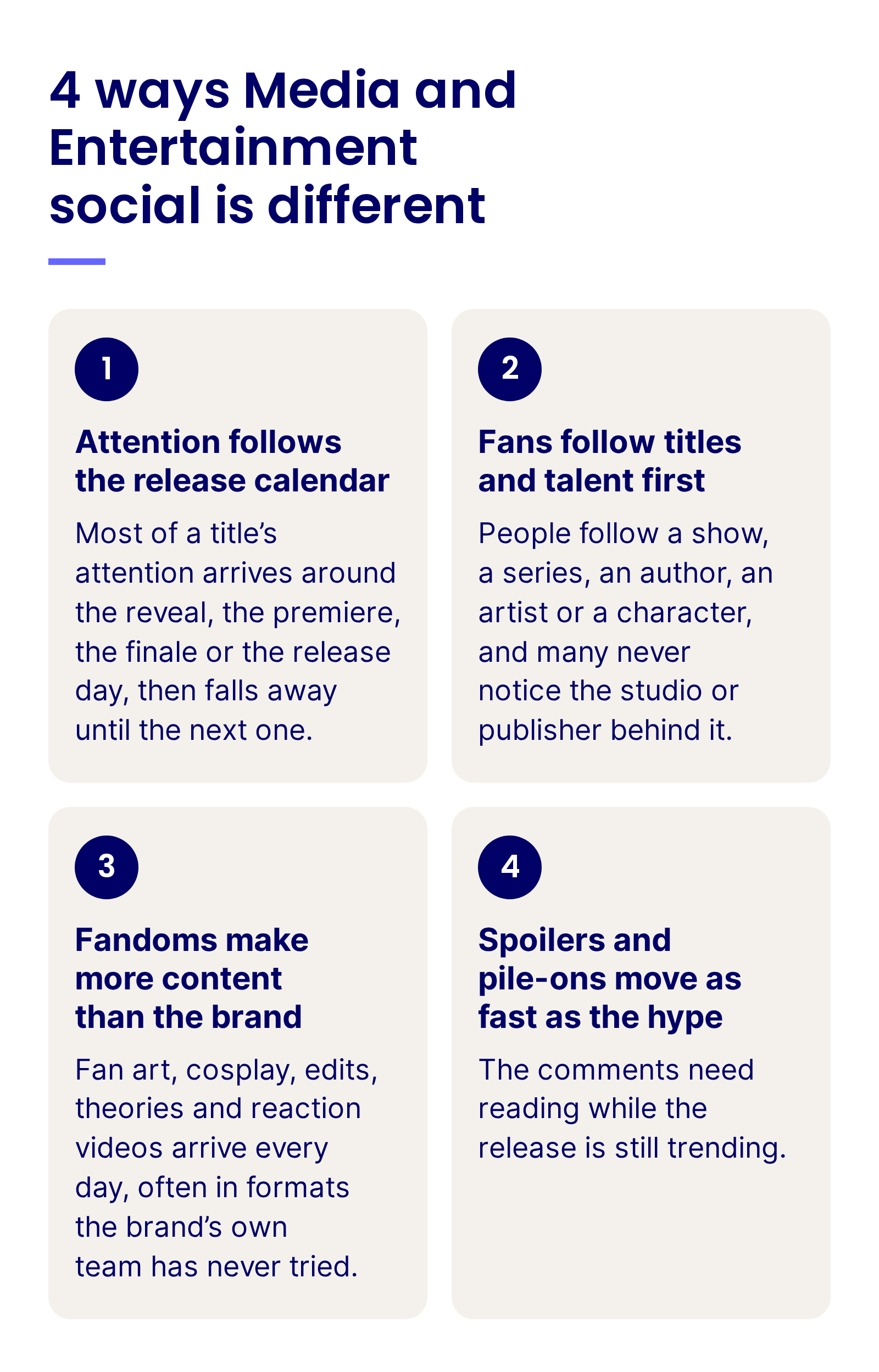
4 ways Media and Entertainment social is different: attention follows the release calendar, fans follow titles and talent first, fandoms make more content than the brand, and spoilers and pile-ons move as fast as the hype

1. Attention follows the release calendar. Most of a title’s attention arrives around the reveal, the premiere, the finale or the release day, then falls away until the next one. A team that is ready in those windows reaches people who don’t follow it yet.

2. Fans follow titles and talent first. People follow a show, a series, an author, an artist or a character, and many never notice the studio or publisher behind it. That spreads the audience across title, imprint, show and talent accounts, each with followers of its own.

3. Fandoms make more content than the brand. Fan art, cosplay, edits, theories and reaction videos arrive every day, often in formats the brand’s own team has never tried. Each of those posts reaches the fan’s own followers, many of whom don’t follow the brand yet, and the rights to it stay with the fan who made it.

4. Spoilers and pile-ons move as fast as the hype. The hours that bring the most attention also bring leaks, spoilers, arguments about casting or an adaptation, and abuse aimed at talent. The comments need reading while the release is still trending.

Keep the fans every release brings in

See how Emplifi helps Media and Entertainment brands plan releases, moderate premiere-night comments and report every title account from one place.

Where Media and Entertainment social programs often get stuck

Most of these issues come from how a release is split between marketing, publicity, title teams, talent and licensors. A shared plan helps with each of them:

Problem 1: Social starts on release day

The posting plan starts on the day the title comes out. The weeks before it, when fans are most curious and new followers are easiest to win, get a single announcement and a date.

Problem 2: Every title account runs its own way

Each show, imprint or label account has its own calendar, its own approvals and its own idea of the brand voice, and nobody sees all of them at once.

Problem 3: The feed goes quiet between releases

When there’s nothing new to promote, the account falls back on reminders about the last release. Fans lose interest, and the followers it won at launch move on to other shows, books and games that still give them something to talk about.

Problem 4: Content is cut down from another screen

The trailer, the broadcast clip or the press photo goes out unchanged, made for a cinema, a TV schedule or a book jacket and posted to a vertical feed.

Six strategies for Media and Entertainment social media audience growth

Strategies 1 and 2 set up each release for success while 3 to 6 show how you can maintain fan loyalty between releases:

1. Plan each release around its most shareable moment

Every release has a moment fans will want to send to a friend: the first look, the cast reveal, the cover, the opening line, the final episode. Plan the campaign backward from that moment, so each earlier post builds toward it and each later post gives the new arrivals a reason to stay.

Start with the question a fan asks before sharing: will my friends get this? A reveal that needs no context, a countdown fans can post themselves and a release-day post that says where and when might travel further than an announcement written for the trade press.

Build the release plan backward from that moment, and include these elements:

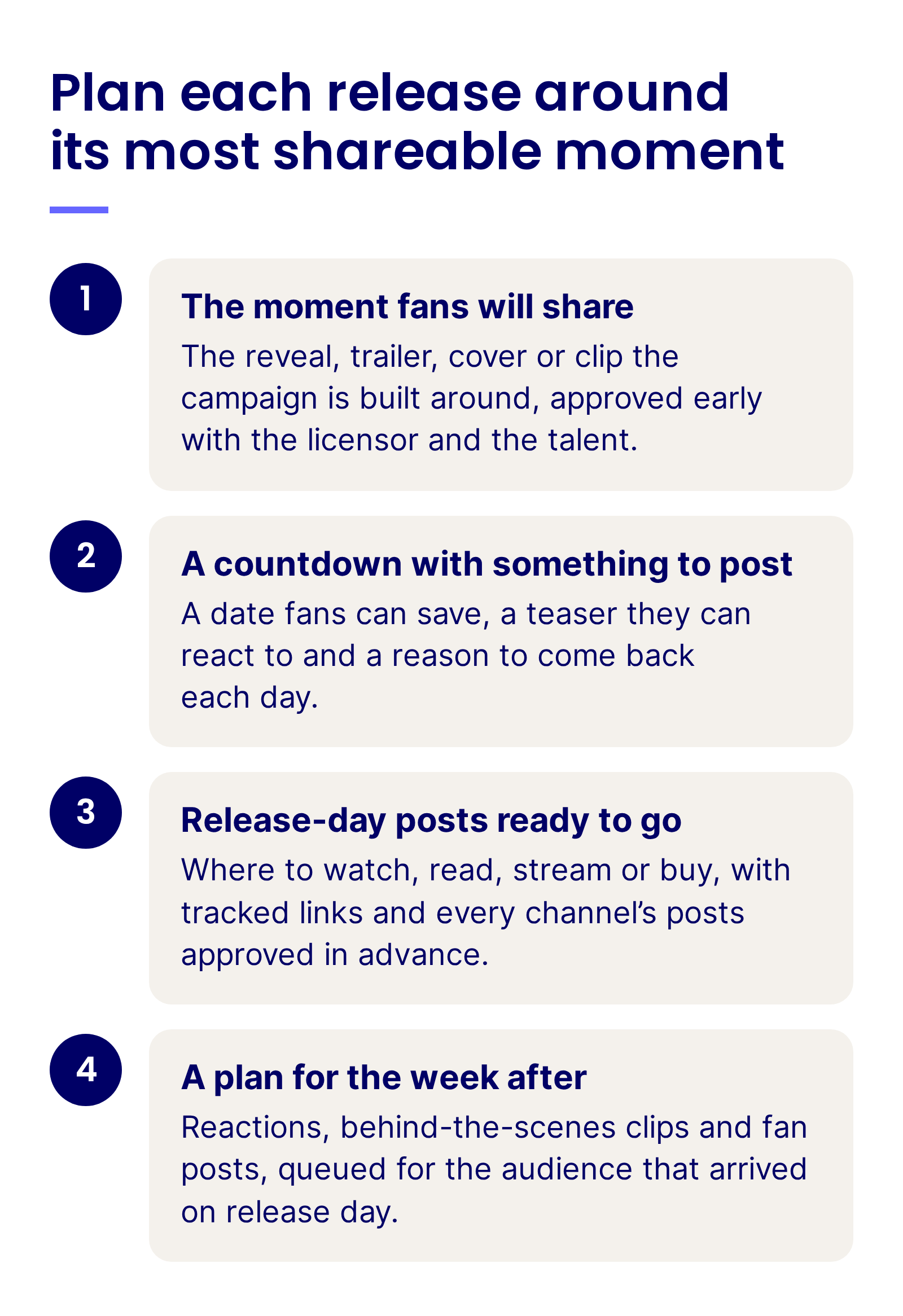
  • The moment fans will share: The reveal, trailer, cover or clip the campaign is built around, approved early with the licensor and the talent.
  • A countdown with something to post: A date fans can save, a teaser they can react to and a reason to come back each day.
  • Release-day posts ready to go: Where to watch, read, stream or buy, with tracked links and every channel’s posts approved in advance.
  • A plan for the week after: Reactions, behind-the-scenes clips and fan posts, queued for the audience that arrived on release day.

Plan each release around its most shareable moment: the moment fans will share, a countdown with something to post, release-day posts ready to go, and a plan for the week after

A teaser from the show’s own account, co-published with the streamer, gives both sets of followers the same date to remember.

The move to copy: HBO Max and The Gilded Age’s account co-publish a short scene teaser, and the caption carries the premiere date.

Key art with the date on it does the same job for a final season.

Try the same: Prime Video and Amazon MGM Studios reveal a final season’s key art with the date printed on the image, ready to screenshot and share.

In a release week, every channel, region and title account needs its own posts, so the number of posts to plan, approve and schedule grows fast.

In Emplifi Publisher, Campaigns groups that content under a shared brief and timeline, so everyone knows what’s going out, when and why, and PrimeTime analyzes engagement patterns by channel and market, then schedules content to predicted peak engagement windows.

Put the trade announcement, the press quotes and the box office or chart news on the channels built for them. The fan post needs the date, the place and something to react to.

Try this: Pick your next release and write down the one post you most want fans to share. Plan the four weeks before it and the week after it backward from that post, then compare release-day shares with your last launch.

2. Run every title, imprint and show account under one framework

A studio, publisher or broadcaster rarely runs a single account: there is the parent brand, an account for each franchise, show, imprint or label, and regional accounts.

Without shared rules, each makes its own calls on spoilers, voice and approvals, and fans meet a different brand on every account.

Write one framework that every account runs under, and let each title team own what makes its account different:

  • Set centrally: Brand rules, the spoiler policy, the approval path for talent and licensors, crisis contacts and the shared calendar of releases.
  • Owned by each title account: The voice, the running jokes, the formats and the community that has grown around the title.
  • Shared between accounts: Collabs between the parent brand and its titles, and one report that compares every account the same way.

Collabs are the simplest bridge between a parent brand and its titles, because one post published by both accounts reaches both audiences. Hulu uses them with its shows’ own accounts.

The move to copy: Hulu and the Only Murders in the Building account publish one clip together, with a line of dialogue on screen that needs no setup.

Franchises and streamers split the work the same way. The franchise account keeps its voice, and the streamer adds where to watch.

Worth borrowing: the Star Wars account and Disney+ co-publish a Mandalorian and Grogu moment, and the caption ends with where to stream it.

The framework also needs an approval path that matches it.

In Emplifi Publisher, multi-stage approval workflows route each draft through the brand, legal and regional reviewers in order, and teams see only the content and accounts relevant to them.

Review the framework after every major release, starting with the spoiler policy and the approval path.

Measure this: Compare follower growth and engagement per post across every title account in one monthly report, with the parent brand and the Collabs shown separately.

3. Program the gap between releases

Between a finale and the next season, or one volume and the next, months can pass with nothing new to announce. If the account goes quiet in that time, the fans who followed it for the last release stop seeing it in their feeds, and their attention moves to other titles.

Plan the gap like a release of its own, with series that need no new footage. Bank content from every release, because one interview, set visit or recording session can feed weeks of posts when the team plans for it:

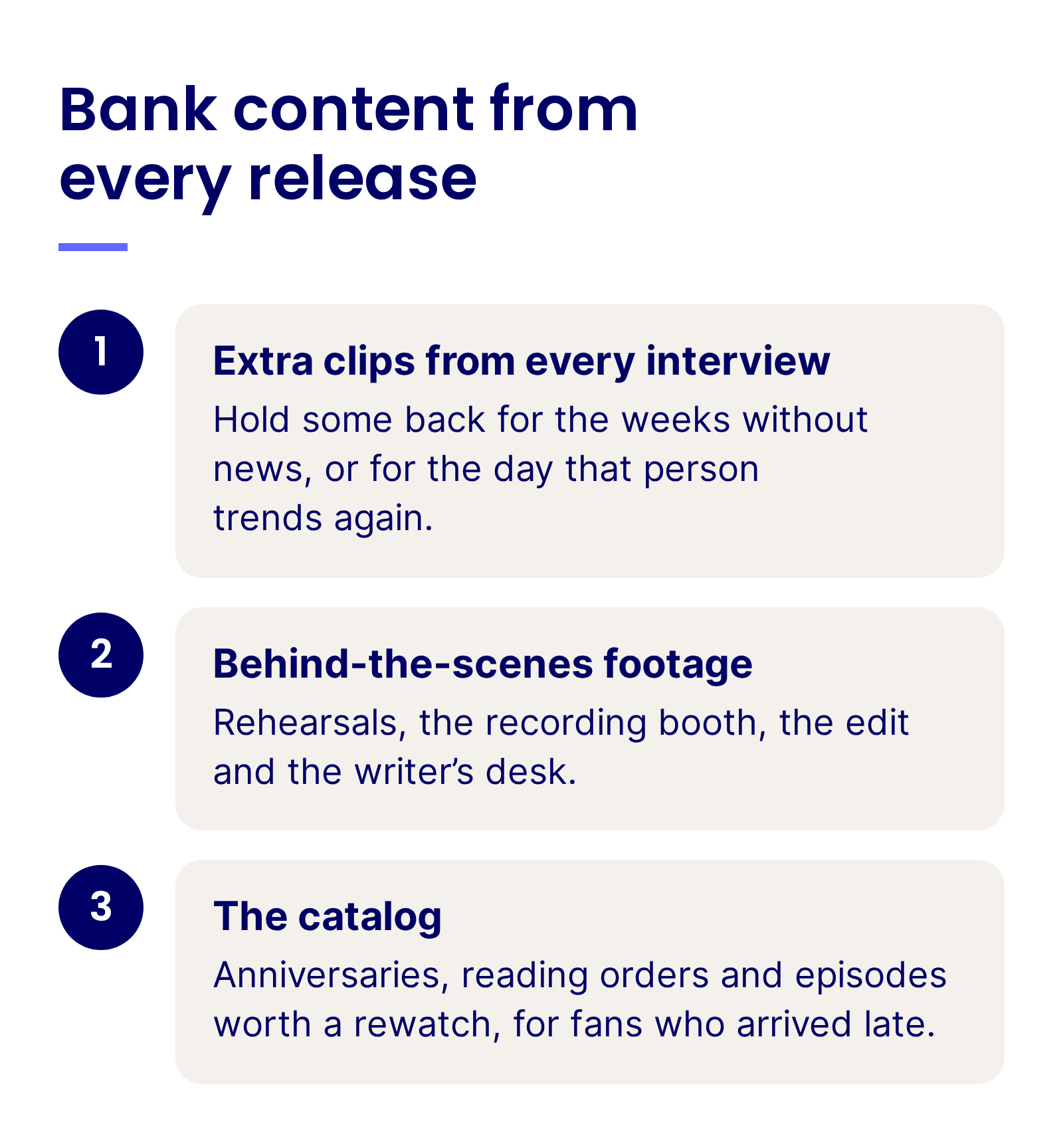
  • Extra clips from every interview: Hold some back for the weeks without news, or for the day that person trends again.
  • Behind-the-scenes footage: Rehearsals, the recording booth, the edit and the writer’s desk.
  • The catalog: Anniversaries, reading orders and episodes worth a rewatch, for fans who arrived late.

Bank content from every release: extra clips from every interview, behind-the-scenes footage and the catalog

In an Emplifi webinar with BBC speakers, Inside the BBC’s Gen Z social strategy, Nick Coppack, Social Media Lead at BBC Sport, describes holding back several videos from a single player interview and keeping that personality-driven content ready for when the player is the talk of a weekend.

“We try and bank content so we’ve got stuff we can use on … rainy days and international breaks,” he says. For a studio or publisher, the same bank comes from a press junket, a set visit or an author tour.

Press play for the habit behind it: get more out of every interview than you post that week, and hold the rest for the day that person is in the news again. Nick Coppack, Social Media Lead at BBC Sport, in an Emplifi webinar with BBC speakers.

Interactive posts do the same job for less: a lineup of upcoming titles, a vote on the next adaptation, a guess at what a teaser hides.

Before launch week is over, put the next three months on a calendar. Anniversaries, conventions, award seasons and casting news give most weeks an anchor, and the banked clips fill the gaps.

Seasonal moments help as well, and a title account can share them with the parent brand. Netflix and the account for one of its animated films co-publish this kind of post.

The move to copy: a seasonal moment fans already celebrate, made in the film’s style and co-published with the title’s own account, keeps a title in the feed with no new trailer or episode.

Measure the gap by title: how many of the followers a title gained in launch week still engage when the next trailer or announcement drops. Report it next to the launch-week numbers in the same review. Pulling that by hand for every title account is slow. Fuel AI, the agentic intelligence layer built into Emplifi Fuel, takes the manual work out: ask it in plain language for each title account’s engagement and follower change since launch week, and it builds the report.

4. Publish formats made for the feed

A trailer cut for a cinema screen or a clip lifted from a broadcast often lands flat in a vertical feed, where people decide in a moment whether to keep watching. Accounts that grow beyond their followers make content for each platform first, in the formats and the tone people already use there.

Nick Coppack makes the case with a short fan quiz BBC Sport shot on phones with fans at a women’s football tournament. His lesson: content that does well on platforms like TikTok can be filmed on a phone with real people, in the style the audience already watches there, while the broadcaster keeps its editorial values. The interviews TV News recorded with fans looked quite different, and he says they wouldn’t have done the same on TikTok.

Press play for a quick test before you post: would this run on the evening news? Nick Coppack, Social Media Lead at BBC Sport, explains why the phone-shot fan quiz that never would was the right call for social, in an Emplifi webinar with BBC speakers.

Give each format a job:

  • Short vertical video for discovery: The opening seconds carry the idea, captions cover people watching on mute, and authors, actors and hosts talk the way they would to a friend.
  • Carousels for details fans save: Character guides, reading orders, timelines and lineups.
  • Cross-fandom moments: An adaptation, a crossover or a tag from another studio puts the post in front of a second fandom.

Cross-format moments work best when the post shows both versions at once.

The move to copy: Marvel and Marvel Comics stack the original comic panel above the matching scene from the series in one vertical frame, a comparison fans can pause on.

Talent off duty works too, especially when two accounts share it. BBC Sport co-publishes seasonal Reels with clubs that show players away from the pitch.

BBC Sport and Tottenham Hotspur Women co-publish a seasonal Reel of two players visiting a scare attraction, shot vertically and away from the pitch.

Decide how you’ll judge each post before it goes out, because each format has a different job. For short video, track how many people who don’t follow you saw it. For carousels, count saves, and for talent content, count shares.

Try this: Take one clip you would normally post as it aired and rebuild it for a vertical feed, with a new opening, captions and a question for the comments. Compare its reach among non-followers with the original.

5. Turn fans and creators into the campaign

Fans already make the campaign: cosplay at conventions, shelves of collected volumes, fan edits, theories and reaction videos. Most brands reuse very little of it. In Emplifi’s State of Social Media Marketing survey of 564 marketers, 82% said user-generated content is very or somewhat important to their marketing goals, but only 31% actively encourage customers to share it or use it in their own content. For a media brand, that gap is the fan art and cosplay that never leave its mentions.

Instagram Collabs are the easiest way to bring the people fans follow into a launch. A show, its network or streamer, and its cast or a creator publish one post together, and it appears to the audiences of every account that accepts.

Emplifi research: In Emplifi’s analysis of Instagram collab posts, more than 73% of brands published Collabs, and Collab posts earned more shares and reposts than standard brand posts in every industry analyzed. Accepted collaborations, where the creator publishes and invites the brand, delivered the biggest gains, and Reels gained the most of any format.

Give creators a brief, early access and a clear #ad label when money, products or tickets change hands. HBO Max went further and handed a cast interview to a creator to host.

Worth borrowing: HBO Max and creator Eli Rallo co-publish a cast interview she hosts, in her format and her voice.

Cast members can carry the reminder too, with their own followers alongside the network’s.

The move to copy: NBC and Jamie Lee Curtis co-publish a scene from Newlyweds, with the weekly time slot in the caption.

Fan culture also shows the brand what to make. Ben Tattersall Smith, Head of Social Media Planning at the BBC, describes a fan edit the BBC made for its Instagram account in the style fans use themselves. He treats comments such as “Love this, can’t believe the BBC made this” as an informal KPI: the post passed as something a fan could have made.

Press play for a measure you can borrow: fans who thought a post was a fan edit until they checked whose account it came from. Ben Tattersall Smith, Head of Social Media Planning at the BBC, in an Emplifi webinar with BBC speakers.

Fans’ own posts are the other half. VIZ Media, an Emplifi customer, built a whole fan gallery on them, as the case study below shows.

When the characters belong to a licensor, check first that your license covers fan art and cosplay in marketing. Then reply to the fan with a short request that links to your terms, and wait for a yes before you reuse the post. Log each permission with the post, the date and the channels it covers, and a fan photo from one release can return in the next campaign without asking twice.

Images of children and young fans need extra care, since animation, young adult books and games all draw a young audience: get a parent’s or guardian’s permission, keep names and other identifying details out, and crop the image or leave it out if in doubt.

Emplifi UGC runs rights requests, consent tracking and approval workflows automatically and keeps documented permission records, so the team knows which fan posts it can reuse and where.

Some fans post about a title far more often than everyone else: fan art every week, a reaction to every episode, long theory threads. Keep a list of these superfans and give them something the wider audience doesn’t get, such as an early look at a trailer, a feature on the main account, or a seat at a screening or a signing. When the next release comes, they’re the fans most likely to share it first, and their followers see it too.

Try this: Choose a title whose license allows fan content in marketing. Collect the 25 best fan art and cosplay posts from its last release or convention weekend, ask for rights, and compare the approved posts with team-made posts in your next campaign.

6. Moderate and read sentiment inside the release window

The hours after a premiere or a finale bring the most comments a title account will see. Some of them are spoilers, leaks, pile-ons aimed at talent or a fan whose stream won’t load, and a team that reads them as they arrive protects the fans who haven’t watched yet.

Set a moderation standard for release week, and staff it to those hours:

  • Agree what counts as a spoiler: Decide which details stay out of captions and replies, and for how long after release.
  • Protect talent from abuse: Hide, report and escalate abuse under each platform’s rules, and tell talent and their teams what you are doing.
  • Answer access problems first: A stream that won’t load, a missing preorder or a ticket problem gets a reply in the thread, then a DM, then the team that can fix it.
  • Read sentiment through the first days: Track how the conversation moves after each episode, chapter or trailer, so the team knows early when a debate is turning.

Anything about safety at a screening, signing, convention or live show skips the social queue: it goes straight to the event’s operations team, and the reply points people to on-site staff or the venue’s emergency contacts.

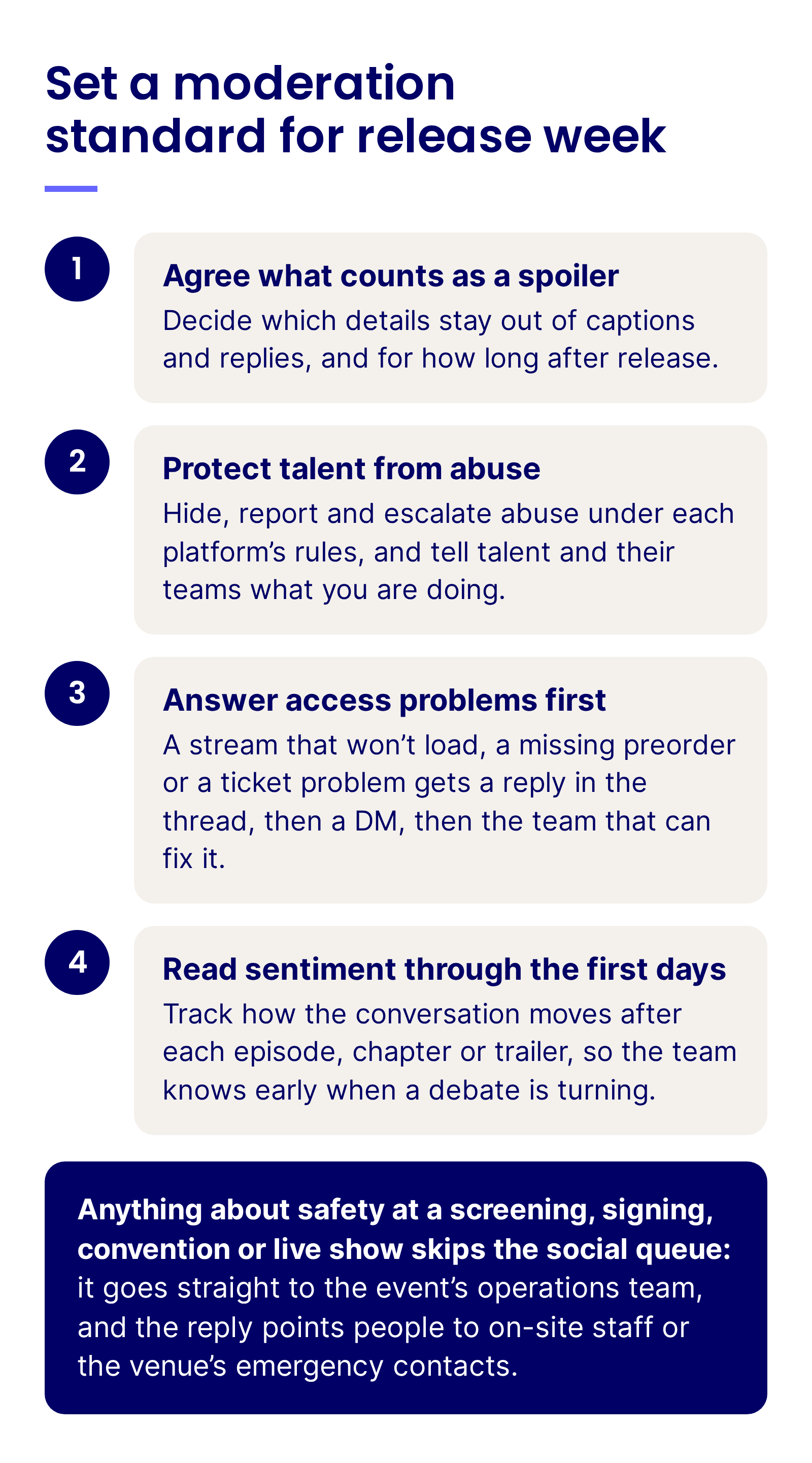
Set a moderation standard for release week: agree what counts as a spoiler, protect talent from abuse, answer access problems first, and read sentiment through the first days, with safety issues sent straight to the event’s operations team

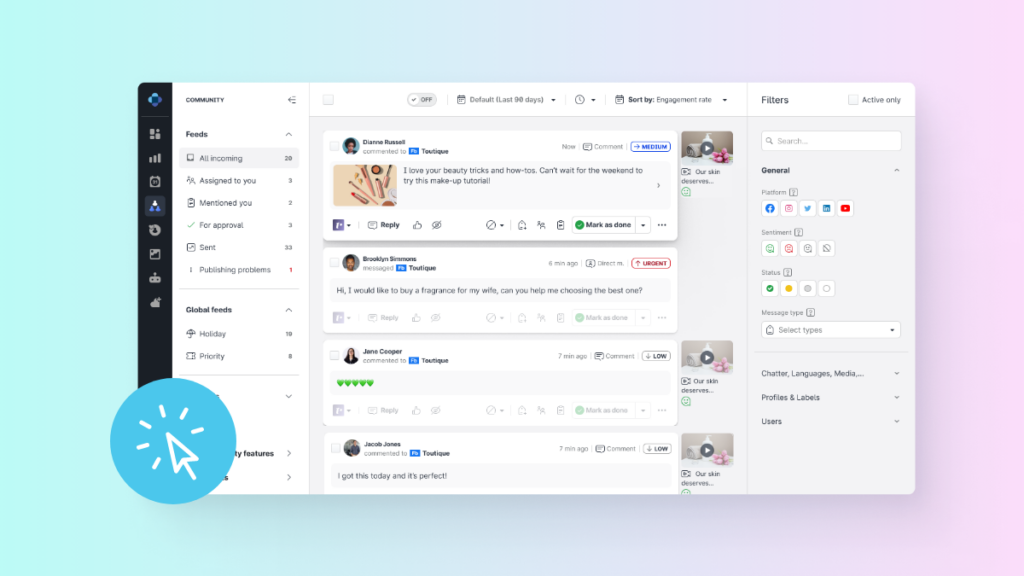
During live broadcasts and watch-alongs, fans watch on the TV and comment on their phones at the same time, so thousands of comments can arrive while the episode airs. Emplifi Community brings every DM, comment and mention into a shared inbox, and its AI spam and NSFW filters identify toxic comments, scams and offensive content. The team, or an automated flow, can then hide those comments on Facebook, Instagram, TikTok, YouTube and X.

The Unified Inbox product tour shows comments, DMs and mentions from every network landing in one queue, the view moderators need during a live premiere.

Spike Alerts in Emplifi Listening notify the team about spikes in the number of mentions, and they can be set to watch positive conversation too, such as a scene going viral the morning after an episode. When the spike is bad news, the team can hit the Crisis Kill Switch, which pauses all scheduled Publisher content instantly, and no cheerful countdown goes out into a developing crisis.

Before a reveal, the comment section is the earliest read on what fans expect.

Read the replies: Wednesday and Netflix reveal new cast one card at a time with a one-line caption, and the comments fill with guesses about the roles.

Agree in advance which posts pause when something serious happens to the cast, the creators or the fans, and who decides when they resume.

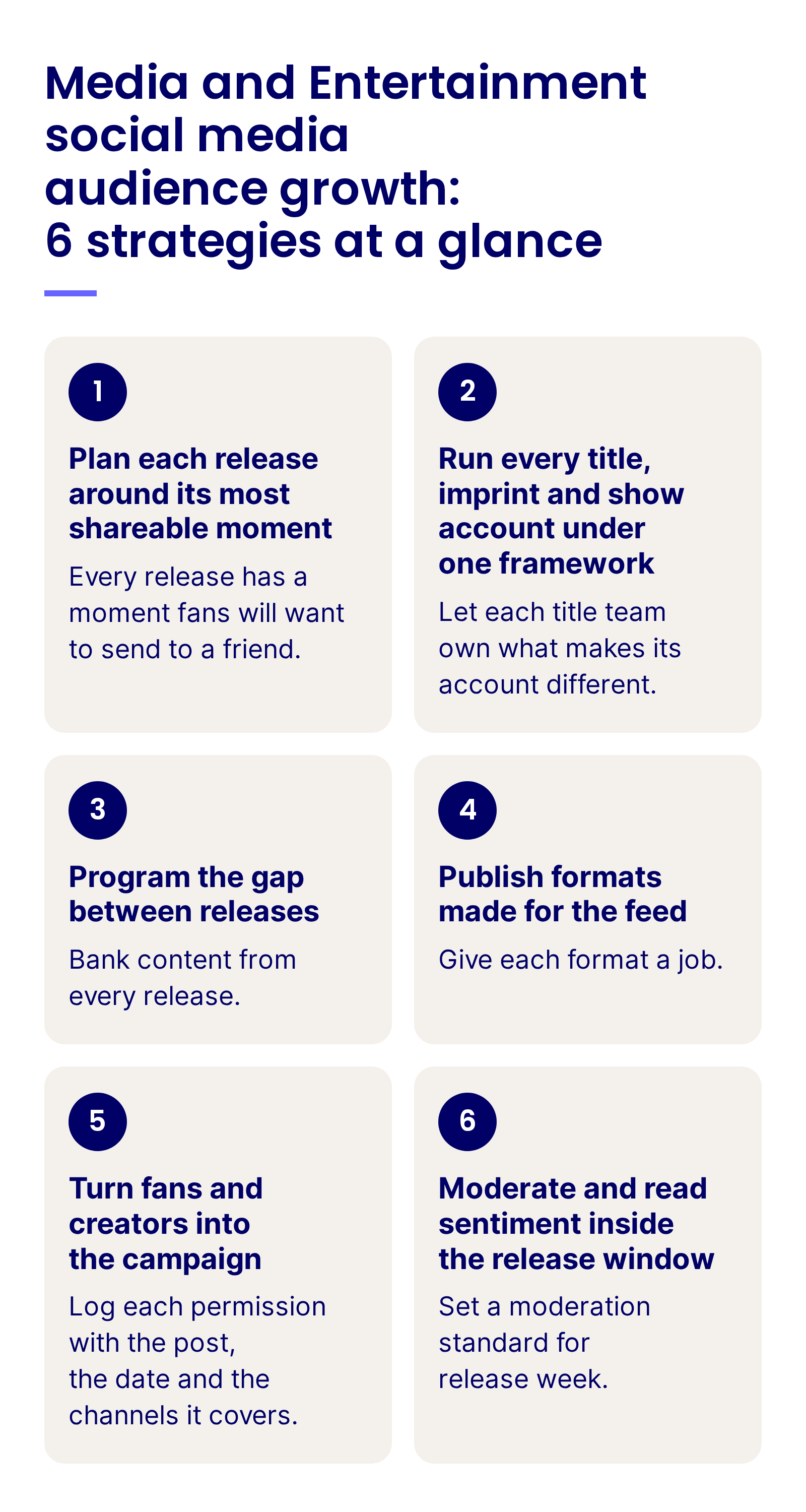
Media and Entertainment social media audience growth: 6 strategies at a glance: plan each release around its most shareable moment, run every title account under one framework, program the gap between releases, publish formats made for the feed, turn fans and creators into the campaign, and moderate and read sentiment inside the release window

Channels and formats for media brands

Each platform does a different job for a media brand, from the clip that finds new fans to the community that keeps them between releases.

Platform What it does for a title Formats that work Common pitfall
Instagram Release-week reach, talent Collabs and fan features Carousels, Reels, Collab posts, Stories Posting the trailer unchanged, cut for another screen
TikTok Reaching new and younger fans Short vertical clips, talent and creator videos, fan-style edits Waiting for sign-off until the trend has passed
YouTube Trailers, long-form extras and the archive Trailers, interviews, behind-the-scenes films, Shorts Leaving the archive unsorted, with no playlists for new fans
Facebook Live premieres and watch-alongs, and older fan groups Live video, Reels, community posts Using it only for links to the website
X or Threads Live conversation during episodes, premieres and announcements Short text, GIFs, quick reactions Posting spoilers before fans in other time zones have watched
Discord and private messaging Superfan communities and access problems Community servers, broadcast channels, DMs Opening a server without moderators for release week
Reddit Fan theories and series discussion Discussion threads, AMAs with creators, authors or cast Posting a plot detail without the subreddit’s spoiler tag

Instagram is the strongest channel for Media and Entertainment brands, and carousels are the format to test there. In Emplifi’s July to September entertainment benchmark, the median post earned 567 interactions on Instagram in September, against 22 on Facebook. Carousels earned more per post than Reels or single images, so add a character guide or a lineup next to the Reels that fill most feeds.

TikTok is the growth channel. Median follower counts for brands on TikTok increased by over 200% year over year in Emplifi’s annual social media benchmarks, more than on any other platform. Short clips with talent, creators and fan-style edits are what find people who have never followed the title, and Emplifi’s TikTok marketing guide covers how to plan them.

YouTube is the home for trailers and long-form: interviews, behind-the-scenes films and the archive, sorted into playlists so a new fan can catch up.

Facebook keeps its strength in live. In the same entertainment data, Live Video led Facebook post types at a median of 46 interactions, ahead of Reels at 26. A live premiere countdown or a watch-along earns its place there.

X and Threads are at their best for live conversation while an episode airs or an announcement lands. Keep posts quick, and keep spoilers out of them until fans in every time zone have had the chance to watch.

Discord servers, broadcast channels and DMs give superfans a closer line to the title, and they are also where access problems end up, with account details nobody should share in public.

Reddit: where fans build the theories

Big series have subreddits of their own, usually run by fans, with a discussion thread for every episode or chapter and theories that run for years. Each one writes its own rules on spoilers and self-promotion.

For a media brand, Reddit is research first. As Emplifi’s guide to building community on Reddit notes, strong participation “starts with listening,” and fandom subreddits reward the brands that learn their customs:

  • Read the series subreddits, title by title: Episode threads show which scenes, characters and theories carry the conversation, often days before your own comments do.
  • Use the spoiler tags every time: Anything past the latest release goes behind the subreddit’s spoiler formatting, and plot details stay out of post titles.
  • Bring the people fans want to hear from: Agree an AMA with a showrunner, an author or the cast with the moderators first, and let them answer in their own words.
  • Follow each community’s rules on promotion: Some allow official links only in set threads, and some ban them; read the sidebar before posting.

Fan nicknames for characters, pairings and running jokes can shape your captions, as long as the posts themselves stay with the fans who wrote them.

Reading every series subreddit by hand stops working after a few titles. Emplifi Listening tracks Reddit next to the other social networks. Its AI technology groups related mentions into keyword clusters and follows sentiment shifts across subreddits, so the team sees which theories, characters or complaints are building, title by title. From Emplifi Community, the team can then reply in those subreddit conversations alongside the comments from every other channel.

Watch the webinar: Reddit decoded: A strategic playbook for modern marketers, Emplifi’s on-demand webinar with Reddit, covers how brands engage authentically on the platform and turn its conversations into insights.

Matching content to each stage of a fan’s journey

Fans find a title, wait for it, watch or read it, then wait again, and social does a different job at each step.

Stage What fans want Content that works Main channel
Discovering a title A clip, a character or a moment worth following Short vertical video, talent and creator content, fan-style edits TikTok, Instagram Reels, YouTube Shorts
Following and waiting A reason to stay before the release Countdowns, reveals, lineups, behind-the-scenes clips Instagram, X or Threads, Discord
The release window Where to watch, read or buy, and people to talk to Release-day posts, live chats, reaction posts, fast replies Instagram, X or Threads, DMs
Between releases A reason to stay until the next one Banked series, catalog posts, fan features, polls Instagram, YouTube, Reddit, community servers

Discovery is where younger fans arrive, and anime, young adult books, games and music all depend on them. In Emplifi’s Marketing Across Generations research, 34% of Gen Z said they are more likely to purchase when content feels targeted to their generation. For a streamer, publisher or label, that purchase is the subscription, the next volume or the ticket, so make the discovery clips for younger fans in the style they already watch.

AI in Media and Entertainment social media audience growth: where it earns its place

The hard parts of Media and Entertainment social come back with every release: more title accounts than writers, a flood of comments on premiere night, quiet months between releases and reports pulled account by account. That operational work is where AI helps most. Fans come for the story, the cast and the art, and those stay with the people who make them.

Where AI takes on the work:

  • Posts for every title account: Fuel AI drafts channel-specific versions of a release post from one brief, checks each against the brand voice and routes it for approval, so smaller title accounts get release-day posts without a writer of their own.
  • The premiere-night rush of comments: In Emplifi Community, AI scores each comment and message for urgency, risk and intent, so a broken stream or abuse aimed at talent reaches a moderator first.
  • What fans want between releases: Emplifi Listening tracks the conversation around each title, and AI summaries pull out the themes, sentiment shifts and emerging risks, so the gap calendar starts from what fans already discuss.
  • One report across every account: In Dynamic Boards, the AI Widget Wizard builds a dashboard from a plain-language prompt, and Saved Views keep every title, market and campaign reported the same way.

Fuel AI won’t create, change or delete anything without your approval, so the team decides what goes out.

People keep the calls that carry risk: whether a detail counts as a spoiler, responses to casting and adaptation controversies, abuse aimed at talent, anything involving young fans and commitments to licensors and partners. Character art, voices and likenesses belong to licensors and talent, so keep AI-generated versions of them out of the feed unless the rights holders have agreed in writing.

How to measure what matters

A useful Media and Entertainment report starts with followers by title account and links them to releases, fans and revenue.

Tier What to track Compare against
Audience growth Followers gained by title account and platform, and reach beyond followers Emplifi’s quarterly Entertainment benchmarks, worldwide
Release performance Shares, saves and comments per post in the release window Your last comparable release
Format performance Interactions per post for carousels, Reels and single images The post-type medians in Emplifi’s quarterly Entertainment benchmarks
Between-release retention Engagement and follower change in the weeks between releases, against the release-window average Your previous gap between releases
Fan content Fan posts found, rights secured and fan content used in campaigns Your previous release
Community First response time on access problems, and abuse and spoiler actions taken Your moderation standard, checked on release days
Business outcome Tune-in, streams, site traffic, subscriptions, preorders and tickets from tracked social links, plus the value of ad and brand-partner campaigns Your ticketing, ecommerce, subscription and ad sales data

Advertisers and brand partners will ask for the same numbers, so report partner campaigns with the definitions you use internally.

Track the reporting time you save too. Your Customer Success Manager will help you set a baseline, and those hours go back into content.

The case below shows what fan content can do when a brand gives it a home on its own website.

How VIZ Media built their fanbase through UGC with Emplifi

VIZ Media, the manga and anime publisher, publishes and distributes content to half of all Gen Z manga readers, and its audience spans many fandoms. The team had talked to readers on forums and wanted a more fan-driven website built on user-generated content, which meant collecting a large volume of high-quality fan content.

With Emplifi, VIZ Media created a “Fan Zone” gallery and invited readers to upload photos of their manga collections and outfits inspired by the stories. The team pulls fan posts from social media and asks for permission before using them, with Emplifi’s permissions functionality securing content for all channels.

Worth borrowing: co-publish a fan creator’s cosplay skit as a Collab, and the creator’s followers see your title in their own feed.

The fan content also does a job for newcomers.

Our fan communities are sort of a proof of concept for our casual website visitors. If someone comes to check out a series that’s really popular, they can see all the cosplay (like a sort of fandom around that property) and they can kind of relate to it more.
Ryan Crowder
Senior Social Media Manager at VIZ Media

The program also stays light for the team. “Emplifi minimizes the work my staff has to do. Emplifi has a lot of really great functionality to make UGC work on our site very easily, and doesn’t require additional coding. Many of our staff members can jump in and do what needs to be done,” says Crowder.

VIZ Media: A 27.55% engagement rate on the “Fan Zone” gallery and almost 50,000 pieces of UGC collected for commercial use in the first eight months.

Your 30/60/90-day plan

Fast track: your next release or premiere is weeks away

Use that release as the first test.

  • Run strategy 1 on it: choose the shareable moment and schedule the countdown and release-day posts around it.
  • Prepare approved replies on where to watch or buy, regional release times, preorders and access problems.
  • Agree two Collabs with talent or creators for release week.
  • Set up listening on the title, its characters, its talent and the spoiler terms you expect.

First 30 days: take stock of every account

Begin with an inventory.

  • List every title, imprint, show and talent account, with an owner for each.
  • Pull follower growth and engagement for each account from the last release window and the weeks after it.
  • Find last month’s fan posts about your titles and note the ones you would ask to use.
  • Check how long access problems waited for a reply on your last release day.

Days 31–60: build the engine

The second month turns that review into shared habits.

  • Write the framework from strategy 2 and agree it with each title team.
  • Plan a series for the gap between releases, and bank content from your next interview or shoot.
  • Set up rights requests and a permissions record for fan content.
  • Write the moderation standard from strategy 6, with the spoiler policy and the safety route.

Days 61–90: show the results

By the third month, the people planning the next release should see the numbers.

  • Start the between-release series and test one interactive post a week.
  • Rebuild one broadcast or trailer clip for a vertical feed and compare it with the original.
  • Report follower growth by title account, reach beyond followers and response times, and agree targets for the next release.

Final thoughts: Make every release the start of the next one

A trailer at noon brings a rush of new followers. What the team does over the following weeks decides how many of them are still around when the next season, volume or album comes out.

If a release is coming soon, start with the fast track in the plan above. If not, start with the first 30 days and take stock of every account.

Emplifi Publisher schedules every title account’s release posts with approval workflows, a built-in Link in Bio and automatic UTM tracking, and Emplifi UGC runs rights requests and consent tracking for fan content. Emplifi Unified Analytics turns the results into reports by title, release and platform.

Pick the next release on your calendar, find the moment its fans will want to pass on, and build from there.

Already an Emplifi customer? Talk to your Customer Success Manager.

Frequently asked questions

Attention follows the release calendar, fans attach to titles and talent first, fandoms make more content than the brand does, and spoilers and pile-ons arrive with the hype. For the fan engagement basics, see our guide to social media marketing for entertainment brands.

Start a social media release plan as soon as the moment fans will share is approved, usually weeks before release. Work backward from that post: the countdown, the teasers and the release-day posts, then plan the week after for the fans who arrive on the day.

Give a title its own account when it has a fandom big enough to follow it for its own sake, and run every account under one framework: shared brand rules, a spoiler policy, an approval path and crisis contacts. Use Collabs so the parent brand and the title reach both audiences with one post.

Good between-release content needs no new footage: banked interview clips, behind-the-scenes series, catalog posts for late arrivals, and polls and lineups that ask fans what they want next. Plan it before the release ends, and give the quiet weeks targets of their own against your release-window average.

Treat spoiler moderation as part of the release plan. Agree which details stay out of captions and replies and for how long, keep spoilers out of posts until fans in every time zone can watch, and staff the first days after release so moderators can hide spoilers in the comments under each platform’s rules.

Yes, with fan content rights in place. Ask the creator in the comments, link to the terms, get a reply to confirm and keep a record of each permission. When the characters are licensed, also confirm with the rights holder that your license covers fan content in marketing. Ask a parent or guardian before using images of children or young fans, and credit the fan wherever the post appears.

Measure followers by title account and platform, reach beyond followers, shares and saves in the release window, engagement between releases, fan content used and response times on access problems. Compare them with Emplifi’s quarterly Entertainment benchmarks and your last release, and add the tune-in, site traffic, preorders, subscriptions and partner value your social links and campaigns drive.

Insights from Emplifi

Explore our latest blogs and comprehensive guides designed to help you master customer experience strategies and drive growth.

Social media management for media & entertainment brands

Whether it’s building fan communities or amplifying content, media and entertainment brands benefit from leveraging social insights to create...

How VIZ Media streamlined operations and built a fanbase through UGC

The manga and anime powerhouse boosted engagement with their fans through the power of UGC with help from Emplifi.

Worldwide Social Media Benchmarks: Entertainment Q3 2026

Q3 2026 entertainment social media benchmarks: Instagram and Facebook engagement, impressions, winning formats, top shows and ad costs.

Ready to fuel your teams with A-CX?

Discover what Emplifi can do for you. We turn small teams into large ones, and large teams into well oiled machines, but either way, we offer the rocket ship, you just need to jump on.

What can you expect?

  • A live walkthrough of Emplifi Fuel tailored to your specific social marketing, commerce, and care needs
  • A benchmark of how your brand performs against peers in your industry
  • A partner who understands your business, and 22,000 others
  • A concrete action plan to go from disjointed teams to A-CX
Get a demo
This site is registered on wpml.org as a development site. Switch to a production site key to remove this banner.