EMPLIFI FUEL AI

Tell Fuel AI what you need. It gets it done. You approve everything.

See how our agentic layer saves you hours

Tell Fuel AI what you need. It gets it done. You approve everything. See how our agentic layer saves you hours

Blog
15 min read
Nov 05, 2026

How universities grow their social media audience

Higher education social media audience growth comes from turning applicants, students, families and alumni into followers who stay from the first campus video to graduation and beyond. Six strategies do the work: put students on the front of the channel, plan around the admissions calendar, give every campus account the same rules and its own voice, answer prospective students fast, turn campus moments into posts applicants save and share, and grow alumni audiences with outcomes.

Jordan Lukes Director of Corporate Marketing
A student in a grey hoodie films a vertical video on her phone on a sunny campus walkway lined with trees.

It’s the week before an application deadline. A high school senior watches a student’s day-in-the-life Reel from your campus and asks in the comments whether first-years can live off campus. Her dad is on Facebook, looking for the scholarship date.

Both need an answer before the deadline, and they’re asking on different accounts. On most campuses, a central team of one or two people runs social alongside dozens of department and campus accounts that each post their own way.

The universities that keep those followers plan for all of them at once. Stanford introduces its student creators by name, and Harvard has current students answer applicants’ questions on camera.

Here’s how a small team can do the same.

In this guide, you’ll learn:

  • Why social media is different for universities, and where programs get stuck
  • Six strategies that turn applicants, students, families and alumni into followers
  • Which channels and formats reach each audience
  • Where AI helps a small team, and how to measure growth
  • What the University of Waterloo did, plus a 30/60/90-day plan

Why social media is different for universities

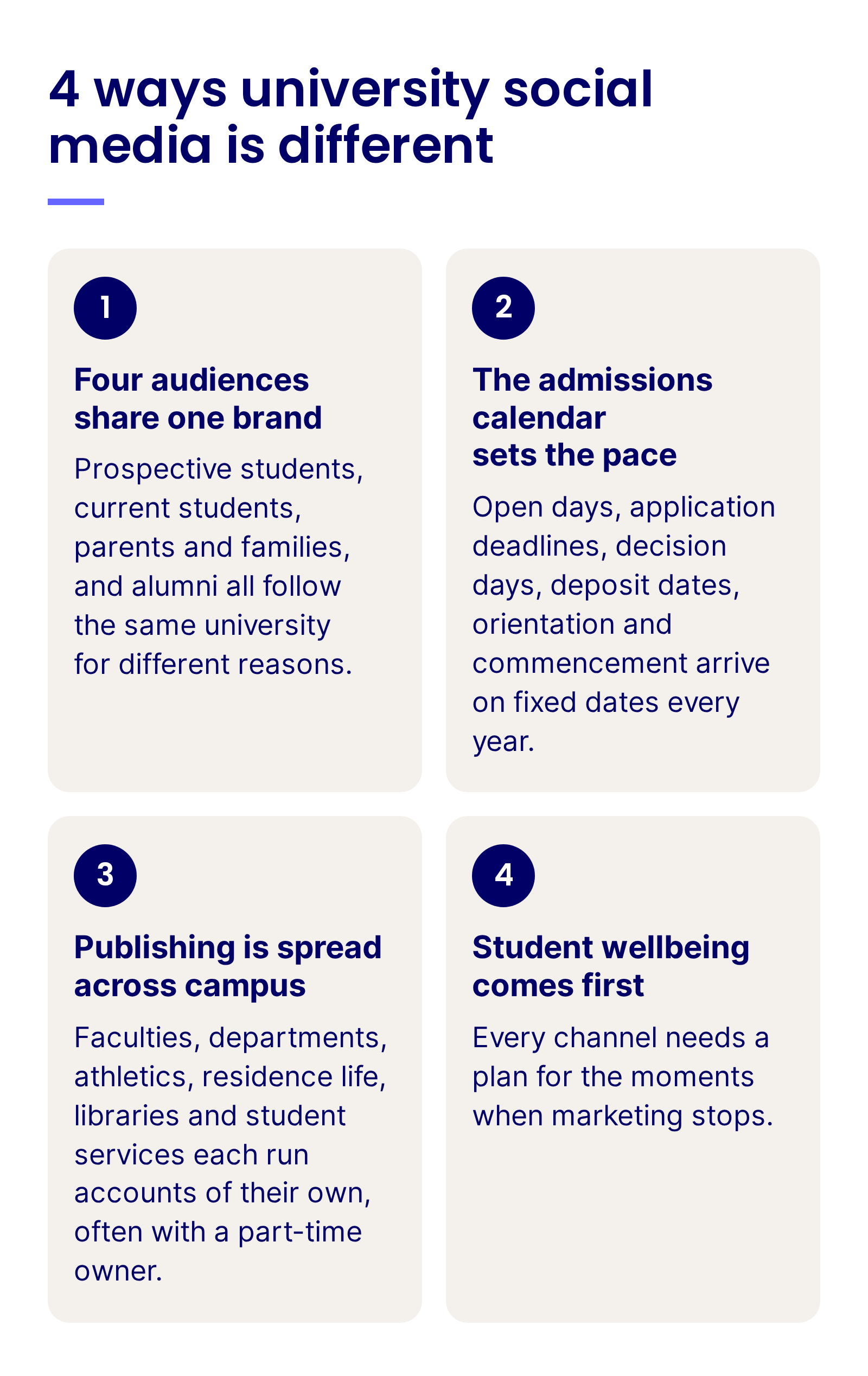
Universities speak to several audiences under one brand, on a fixed academic calendar. That shapes how higher education teams manage social media in four ways:

4 ways university social media is different: four audiences share one brand, the admissions calendar sets the pace, publishing is spread across campus, and student wellbeing comes first

1. Four audiences share one brand: Prospective students, current students, parents and families, and alumni all follow the same university for different reasons. A post that helps an applicant can mean nothing to a donor, and the same feed has to work for a 17-year-old and a graduate of 40 years.

2. The admissions calendar sets the pace: Open days, application deadlines, decision days, deposit dates, orientation and commencement arrive on fixed dates every year. Content that misses its window waits a full cycle for the next one.

3. Publishing is spread across campus: Faculties, departments, athletics, residence life, libraries and student services each run accounts of their own, often with a part-time owner. The central team sees only part of what goes out under the university’s name.

4. Student wellbeing comes first: Many followers are young, some are under 18, and a crisis on campus or a student in distress can surface in the comments before anywhere else. Every channel needs a plan for the moments when marketing stops.

Turn applicants into lifelong followers

See how Emplifi helps universities plan around the admissions calendar, answer applicants fast and report every campus account from one place.

Where higher education social programs often get stuck

Most of these come from how a university is organized, with admissions, communications, faculties, athletics and advancement all publishing at the same time:

Problem 1: One feed tries to speak to everyone

The main account mixes research news, rankings, sports results, applicant reminders and alumni events in the same week. Each audience scrolls past posts meant for someone else, and many stop checking.

Problem 2: Admissions content arrives one post per deadline

The deadline gets a reminder graphic on the day. The weeks when applicants are still deciding where to apply pass with campus news that was planned for current students.

Problem 3: Every department account runs its own way

Each faculty, lab, club and team account has its own logo crop, voice and posting habits. Some are run by a student intern, and when the intern graduates, there’s often no one lined up to take over, so the account goes quiet. Nobody can compare them, and an outdated account still carries the university’s name.

Problem 4: Questions wait in the DMs

Prospective students ask about deadlines, housing and scholarships in comments and messages, often late at night. When the reply comes after the office opens on Monday, the applicant has already asked someone else.

One shared calendar eases much of this. When every office plans in the same place, the main feed can give each audience its own slots, deadline posts are planned weeks before the date, a quiet account shows up as a gap in the plan, and the team can see which weeks need more people on the inbox.

Six strategies that drive higher education social media audience growth

An audience grows in two ways: new people find the account, and the people who already follow it find a reason to stay. Universities need both, because applicants, students, families and alumni each decide for their own reasons whether to follow or drift away.

Strategies 1 to 3 shape what the university publishes and who publishes it. Students reach applicants in a voice they trust, and a plan built on the admissions calendar puts the right posts in front of them while they’re still choosing where to apply. Shared rules then let every campus account grow under the university’s name.

Strategies 4 to 6 keep each audience with you, from the first question to the alumni years. A quick reply keeps an applicant from asking somewhere else, and posts worth saving travel to friends who don’t follow you yet. Outcome stories give alumni a reason to keep following.

1. Put students on the front of the channel

Applicants want to see a normal Tuesday for someone like them, and only current students can show it. What students post about campus is user-generated content (UGC). An account built on it sounds like campus.

That content earns trust the brochure can’t. In Carnegie’s research on what drives college choice, a survey of more than 3,400 prospective students and parents, graduating seniors trusted user-generated content on social media more than content from the institution itself. Label any post the university paid a student to make, so that trust holds.

Build the program so it lasts longer than one class of volunteers:

  • Recruit creators by program and by year: Applicants look for their own major and their own stage of life.
  • Give each creator a short brief: The month’s themes, the dates applicants care about and who to call if a comment turns nasty.
  • Publish with them: Co-publish their posts as Instagram Collabs, so the creator’s followers see the university too.
  • Get consent in writing: Agree reuse rights before you repost a student’s video, and ask again before it runs in an ad.

The move to copy: Stanford introduces its fall student creators by name and co-publishes the Reel with each of them.

Story takeovers work the same way for a single day, and a feed post gives the takeover a home on the grid after the Story expires.

Borrow the setup: on the morning of a takeover, introduce the host in a feed post with one question about why they chose you, as Clemson and its business college do.

Each Collab puts one post in front of two audiences.

Emplifi research: In Emplifi’s analysis of Instagram collab posts, Collabs were used by more than 73% of the brands studied, and in every vertical the analysis covered, Collab posts drew more shares and reposts than a brand’s standard posts. Accepted Collabs from profiles with fewer than 10,000 followers, the size of many department and program accounts, earned 5x more interactions than those profiles’ standard posts.

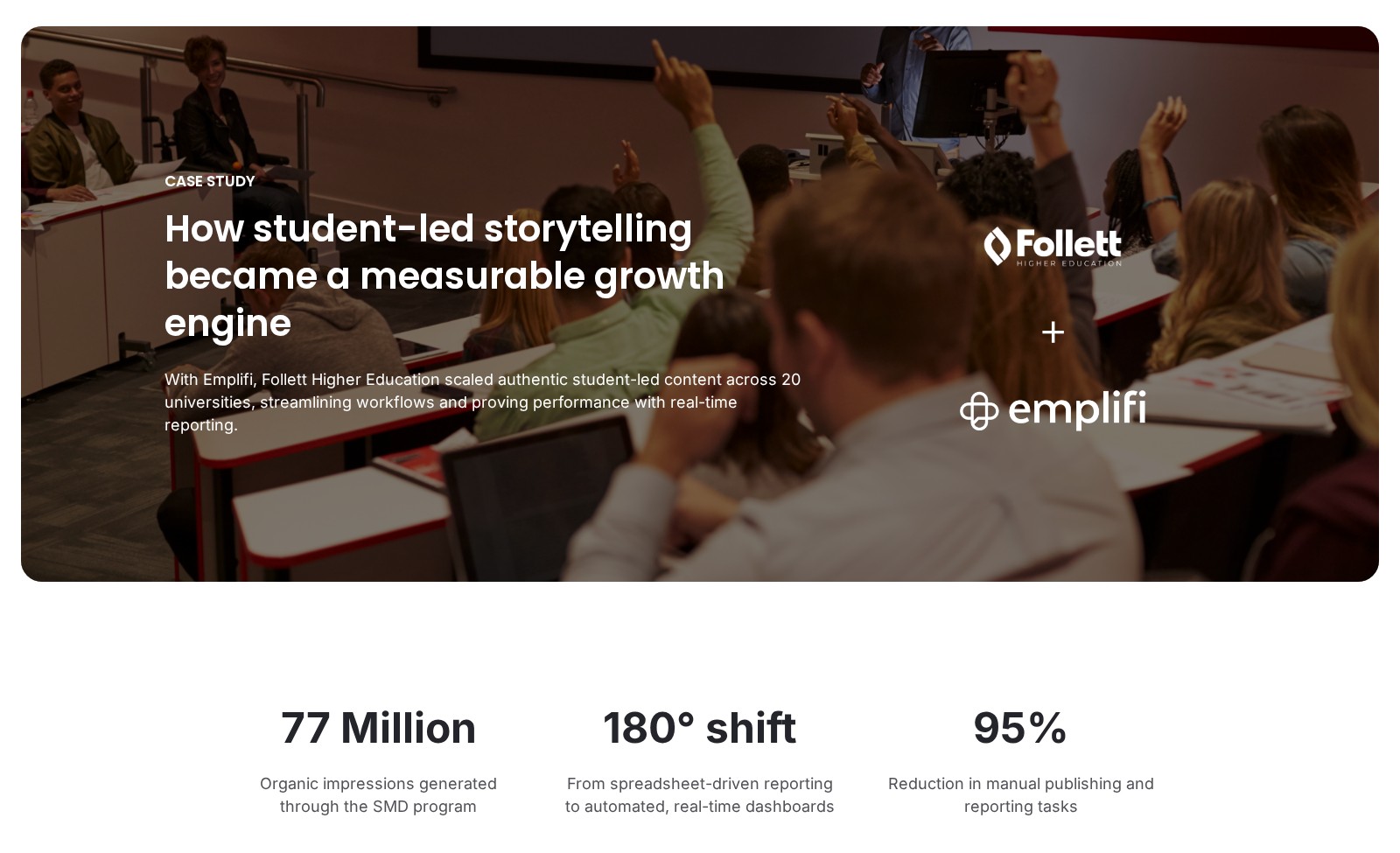
Student-led programs work beyond the university itself. Follett Higher Education, an Emplifi customer that supports campus bookstores across the US, runs student-led social at 20 universities through its Student Marketing Director program, in which students create and publish content for their peers. That student-led content generated 77 million organic impressions through the program.

Follett Higher Education customer story on emplifi.io: the headline How student-led storytelling became a measurable growth engine, with the Follett and Emplifi logos and three result figures

Follett Higher Education’s customer story, as published on emplifi.io.

“This organic student-led content is the best content we have as a company. And I will advocate and die on that hill if I have to,” says Kelso Imboden-Brown, Senior Social Media Manager of Strategy Operations at Follett Higher Education.

Consent is where student UGC programs slip. With Rights Management in Emplifi UGC, the team sends a permission request for each student post it wants to reuse and keeps a record of every yes, so it knows which student content is cleared to share again.

Try this: Recruit five student creators from the programs that most need applications, co-publish their posts as Collabs for a month, and compare reach among non-followers with your central team’s posts.

2. Plan content around the admissions calendar

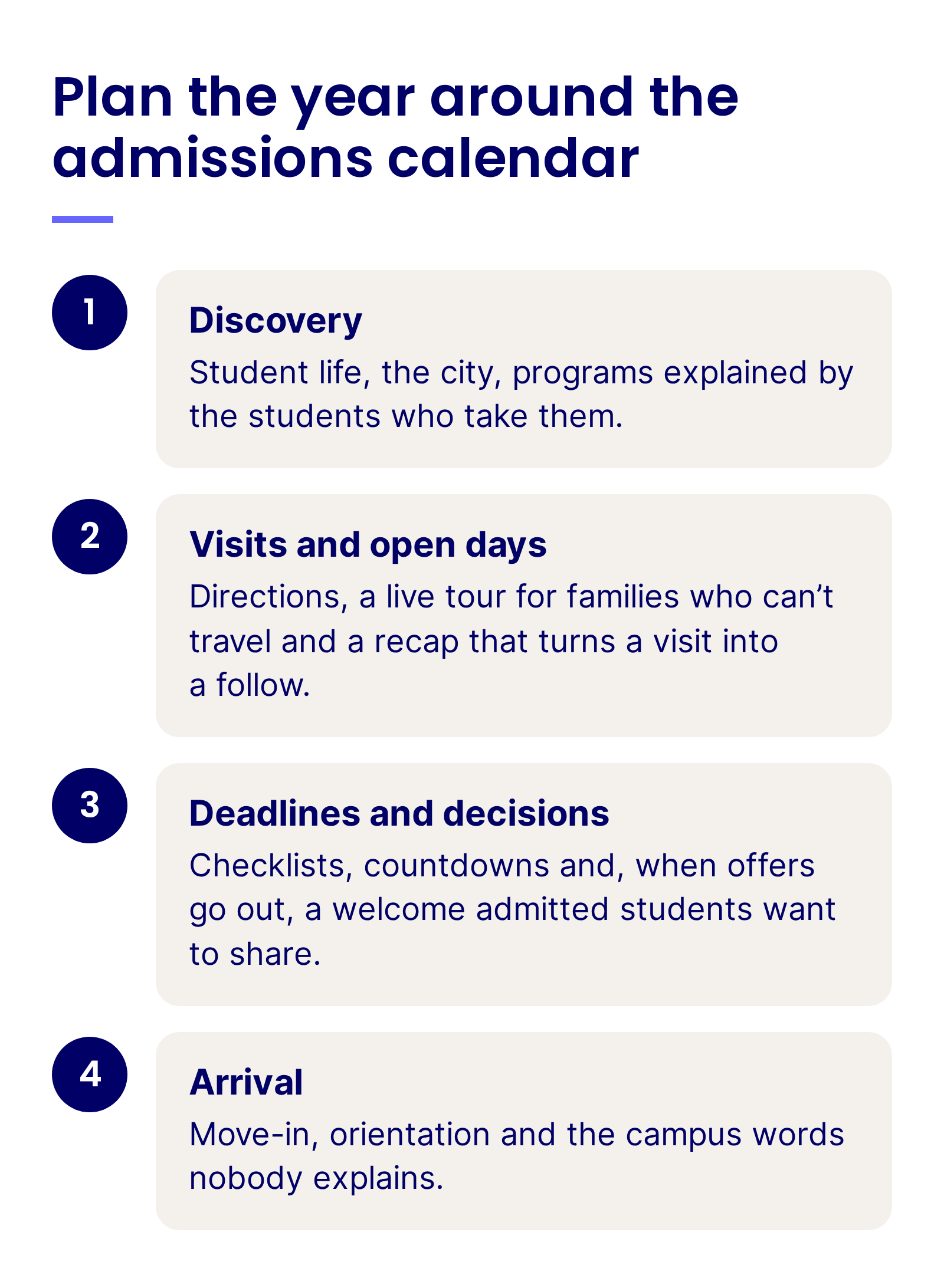
An applicant’s year has a shape: discovery months before applications open, visits and open days, deadlines and decisions, then the anxious summer before arrival. A university that publishes to its own events calendar reaches applicants by luck. Plan the year around the admissions calendar, and each stage gets the posts that move a student to the next one.

Discovery is for people who don’t know you yet: student life, the city, programs explained by the students who take them. Visits and open days call for directions, a live tour for families who can’t travel and a recap that turns a visit into a follow. Deadlines and decisions need checklists, countdowns and, when offers go out, a welcome admitted students want to share. Arrival covers move-in, orientation and the campus words nobody explains.

Plan the year around the admissions calendar: discovery, visits and open days, deadlines and decisions, and arrival, with what each stage needs

Put the dates in one shared content calendar and plan each campaign backward from its deadline, so the posts are approved weeks ahead.

Before term starts, an explainer series gives incoming students a reason to follow along.

Copy the format: pick the words new students hear in their first week, explain one per slide as Oxford does, and close by asking followers what you missed.

Move-in day is the payoff, and it travels further when every account that touches first-year life publishes it together.

Plan it before move-in: line up the colleges, residence and athletics accounts to accept one Collab Reel, as the University of Toronto did, so a single story reaches every first-year audience.

Campus visits bring younger guests too. Ask before you photograph a visitor, get a parent’s or guardian’s permission for anyone under 18, and keep names, schools, and hometowns out of captions.

In Emplifi Publisher, Campaigns groups content under a shared brief and timeline, so everyone knows what’s going out, when and why. PrimeTime schedules content to predicted peak engagement windows by channel and market, which helps when applicants span several time zones.

Scheduling months ahead also means planning how to stop. In the Emplifi webinar How top universities create smarter social strategies with Emplifi, Dan Ackerman, Social Media Manager at the University of Waterloo, describes captions and photos for campaigns created four to six months in advance, with one caution: if there’s an emergency on campus, go back and pause what’s scheduled.

Press play for the habit and the safeguard together: schedule the weekend and campaign posts early, and know how to pause them the moment something happens on campus. Dan Ackerman, Social Media Manager at the University of Waterloo, in an Emplifi on-demand webinar.

After each cycle, compare this year’s deadline weeks with last year’s, season against season, and move the posts that worked earlier in the plan.

3. Give every faculty, department and athletics account the same rules and its own voice

A large university can run dozens of accounts, from the main brand to the chemistry department, the rowing team and a residence hall. Central control of every post would slow them all down, and no control at all leaves applicants with abandoned accounts and mixed messages.

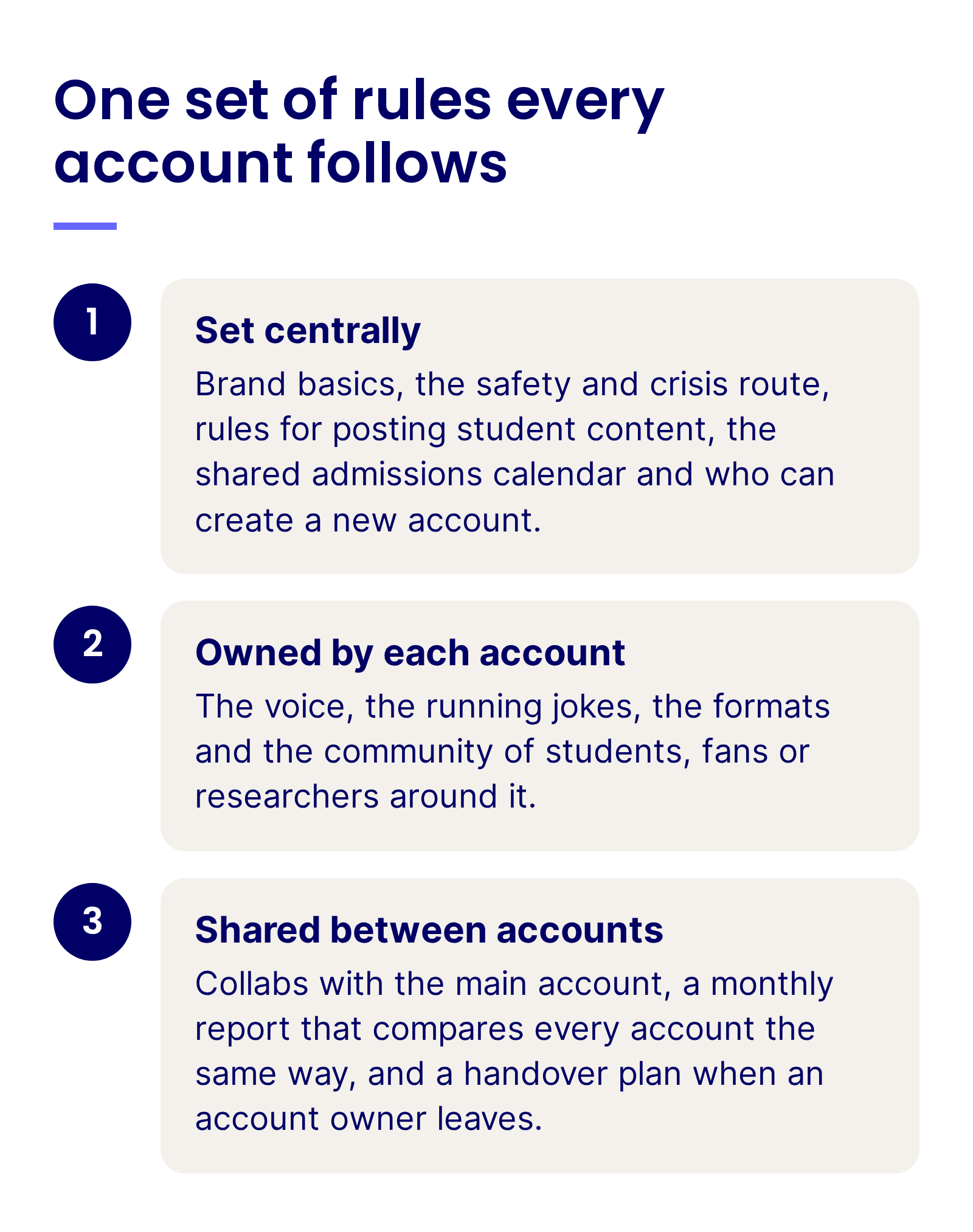
Write one set of rules every account follows, and let each account own what makes it worth following:

  • Set centrally: Brand basics, the safety and crisis route, rules for posting student content, the shared admissions calendar and who can create a new account.
  • Owned by each account: The voice, the running jokes, the formats and the community of students, fans or researchers around it.
  • Shared between accounts: Collabs with the main account, a monthly report that compares every account the same way, and a handover plan when an account owner leaves.

One set of rules every account follows: what is set centrally, what each account owns, and what accounts share

A one-page style guide covers the brand basics, and a quarterly audit finds the accounts that have gone quiet. Archive them, or hand them to an owner with time to run them.

With AI Composer in Emplifi Publisher, where Fuel AI learns the university’s brand voice, a part-time account owner can draft a post, adjust its tone and translate it into more than 30 languages, so every post sounds like the university, even from the rowing team’s account.

Collabs connect the accounts without taking them over. One post co-published by the main account and a department reaches both audiences, and a story from athletics can reach the people who follow research.

Look for the story that sits between two accounts, like Duke’s basketball player raising a future service dog with the Puppy Kindergarten program, and publish it from both.

Approvals should match the rules. In Emplifi Publisher, multi-stage approval workflows route each draft through the right reviewers in order, and teams see only the content and accounts relevant to them, so a department can publish without seeing the rest of campus.

Measure this: Report follower growth and engagement per post for every campus account in the same monthly view, with the main account, the Collabs and the accounts that posted nothing shown separately.

4. Answer prospective students fast in comments and DMs

An applicant who asks about housing or scholarships in your comments is telling you what stands between them and an application. In Grand Canyon University’s survey of how students choose a college, 39% said they had avoided contacting a university altogether for fear of repeated calls, texts and emails. A reply in the comments, where they can ask without handing over their details, can be the easiest first contact.

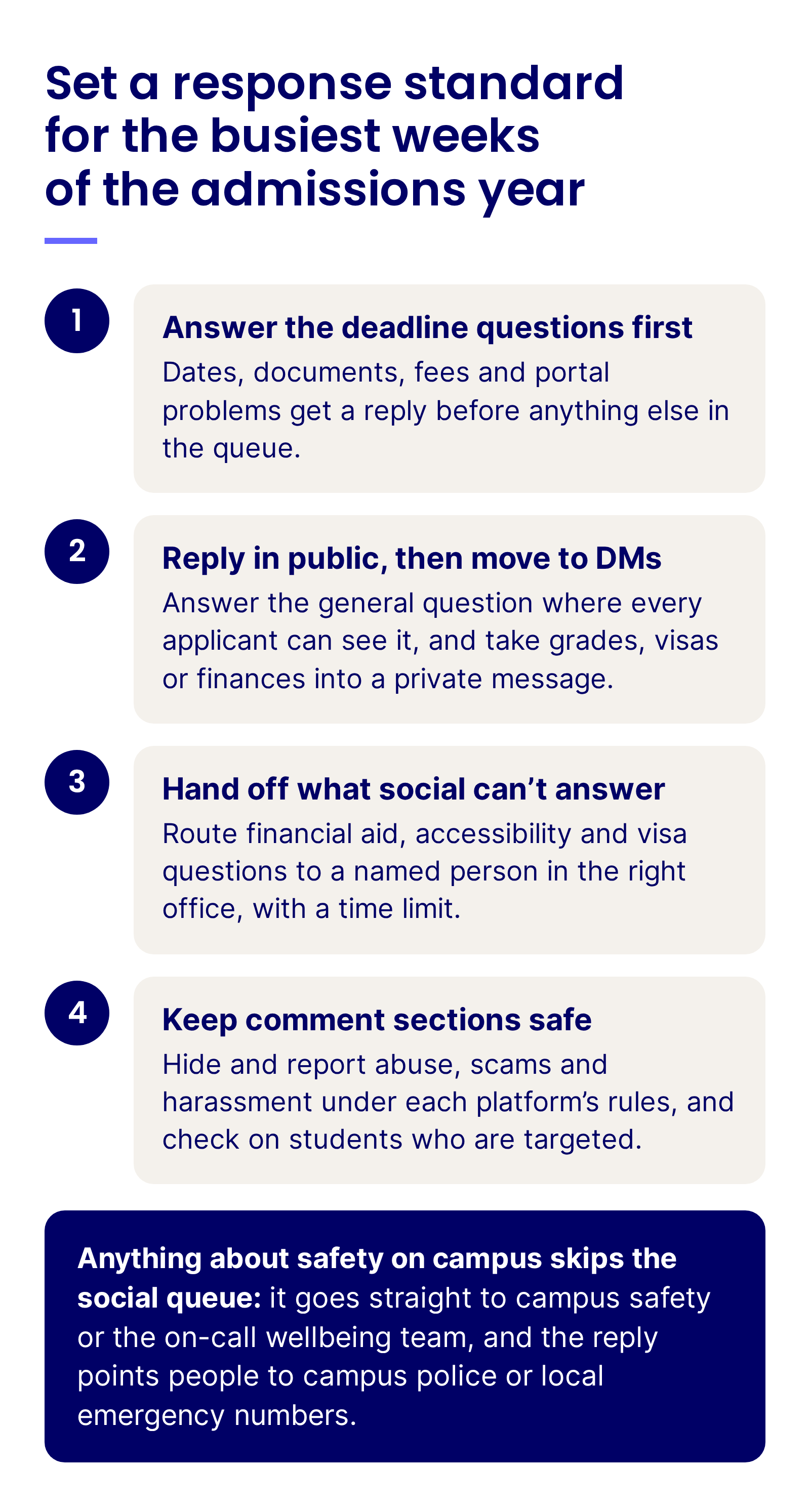
Speed counts, and so does a person on the other end. Set a response standard for the busiest weeks of the admissions year:

  • Answer the deadline questions first: Dates, documents, fees and portal problems get a reply before anything else in the queue.
  • Reply in public, then move to DMs: Answer the general question where every applicant can see it, and take grades, visas or finances into a private message.
  • Hand off what social can’t answer: Route financial aid, accessibility and visa questions to a named person in the right office, with a time limit.
  • Keep comment sections safe: Hide and report abuse, scams and harassment under each platform’s rules, and check on students who are targeted.

Anything about safety on campus skips the social queue: it goes straight to campus safety or the on-call wellbeing team, and the reply points people to campus police or local emergency numbers.

Set a response standard for the busiest weeks of the admissions year: answer the deadline questions first, reply in public and then move to DMs, hand off what social can’t answer, and keep comment sections safe, with anything about safety on campus sent straight to campus safety

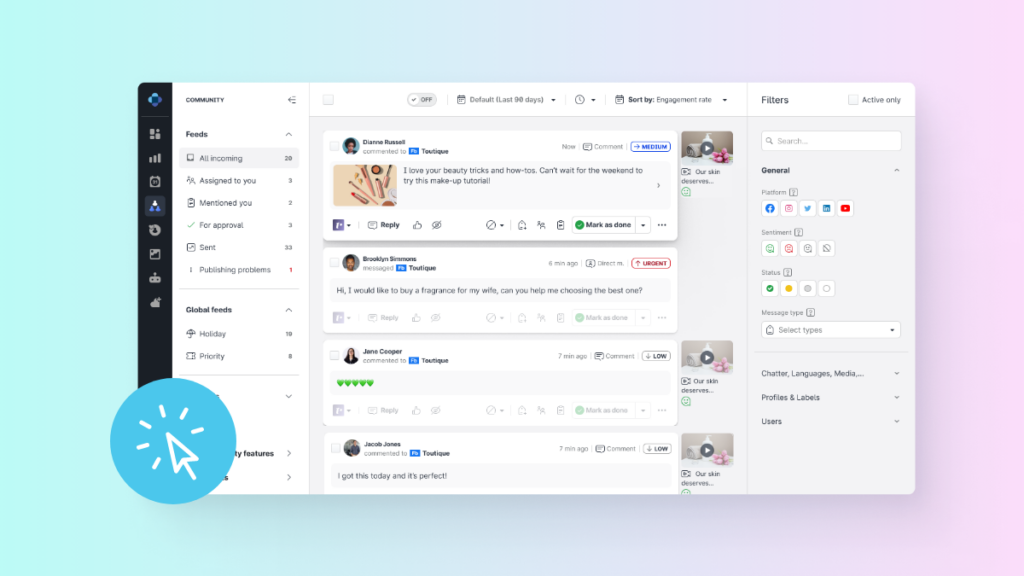
Decision weeks bring a rush of comments and DMs at once. Emplifi Community brings every DM, comment and mention into one inbox, and AI Priority Scoring surfaces high-priority conversations first. Real-Time Translation supports more than 120 languages for international applicants, and AI-Assisted Replies draft answers aligned to approved response policies for a person to check.

The Unified Inbox product tour shows comments, DMs and mentions from every network in one queue, the view an admissions team needs in the week before a deadline.

Peer answers help too. When current students answer what applicants are too shy to ask admissions, it reads like advice from a friend.

Read the comments: Harvard and its admissions office co-publish a current student’s advice for applicants, and the replies show what the next video should cover.

When the conversation turns bad, a pause comes before any reply. Spike Alerts in Emplifi Listening notify the team when mention volume jumps, and the team can hit the Crisis Kill Switch, which pauses all scheduled Publisher content instantly, so no cheerful countdown goes out during a campus crisis.

Measure this: Track first response time on applicant questions by week of the admissions year, and compare it with your standard in the two weeks before each deadline.

5. Turn campus moments into posts applicants save and share

Applicants often meet a university in a feed before they search for it. In the same Grand Canyon University survey, 60% of respondents said social video platforms had influenced their impression of a university, and TikTok and YouTube together edged out search engines as the way students came across a university they hadn’t considered. Content made for a brochure or a press release rarely holds a thumb in that feed, and video made for each platform has a better chance.

Put your students’ content to work

See how Emplifi helps a small university team collect student UGC, reuse it with permission and answer applicant questions in one place.

Format choice shows up in the numbers. In Emplifi’s quarterly education benchmark, carousels led Instagram post types with a median of 111 interactions per post, ahead of Reels at 90 and well ahead of single images at 45. A carousel suits the things applicants save: a scholarship checklist, a residence comparison, a quiz on famous campus spots. Reels suit discovery, with the idea in the first seconds and captions for people watching on mute.

The move to copy: MIT turns a campus tour into a swipe-to-guess campus-spot quiz, a carousel people save, share and answer in the comments.

The simplest campus moment can travel far when it is shot vertically and left alone. A short loop of the quad in the rain needs no script, no graphic and no logo.

Shoot it the same day: a few seconds of weather on campus, no voiceover and an emoji caption are all MIT’s rain Reel needed.

Keep the formats people can’t get elsewhere: a professor explaining one idea in a minute, a lab nobody outside the department has seen, a first-year’s frank review of the dining hall. Then give each format a measure before it goes out, such as reach beyond followers for Reels and saves for carousels.

Try this: Take your most-viewed open day presentation and turn its three most common questions into a carousel and a 30-second Reel with a student. Compare saves and reach among non-followers with your last open day post.

6. Grow alumni and graduate audiences with outcomes

Alumni often hear from their university only through a newsletter and a donation ask. They follow for proof that the degree still counts: where classmates ended up, which research made the news, what the university is doing now that they’d want to tell a colleague about.

LinkedIn is where that proof travels. Emplifi’s annual social media benchmarks treat LinkedIn as a purpose-built channel for thought leadership and long-form content, and it is where graduate programs, employer partners and advancement teams meet the same people. Post-graduate outcomes, research explained by the researchers, and alumni stories that show the route from a degree to a job.

Research becomes an audience builder when it answers a question people already have. A department that co-publishes one useful idea with the main account reaches well beyond its own followers.

The move to copy: Cambridge and its psychiatry department co-publish a professor’s tips for looking after your brain on World Mental Health Day, and the caption asks which tip followers will try.

Careers content does the same for prospective graduate students and parents weighing cost against outcome. Start with a surprising fact and let the graduate explain the job behind it.

Try the same: UNSW opens with a surprising hook about fuel for planes, then lets an aerospace engineering alumna explain the career and the degree behind it.

Recent graduates are the bridge between current students and alumni, and they can describe the student experience they’ve only just finished. Give them a recurring slot, ask before you repost what they share about their first jobs, and make it easy for them to share university content with their own networks.

Commencement is the moment to welcome them into the alumni community, in the same post that celebrates them.

Worth borrowing: Oxford co-publishes graduation photos with the alumni account and a college, so new graduates meet the alumni network on the day they join it.

Measure alumni growth by graduation decade and program, and report engagement on outcome posts next to event sign-ups and giving that come from tracked social links.

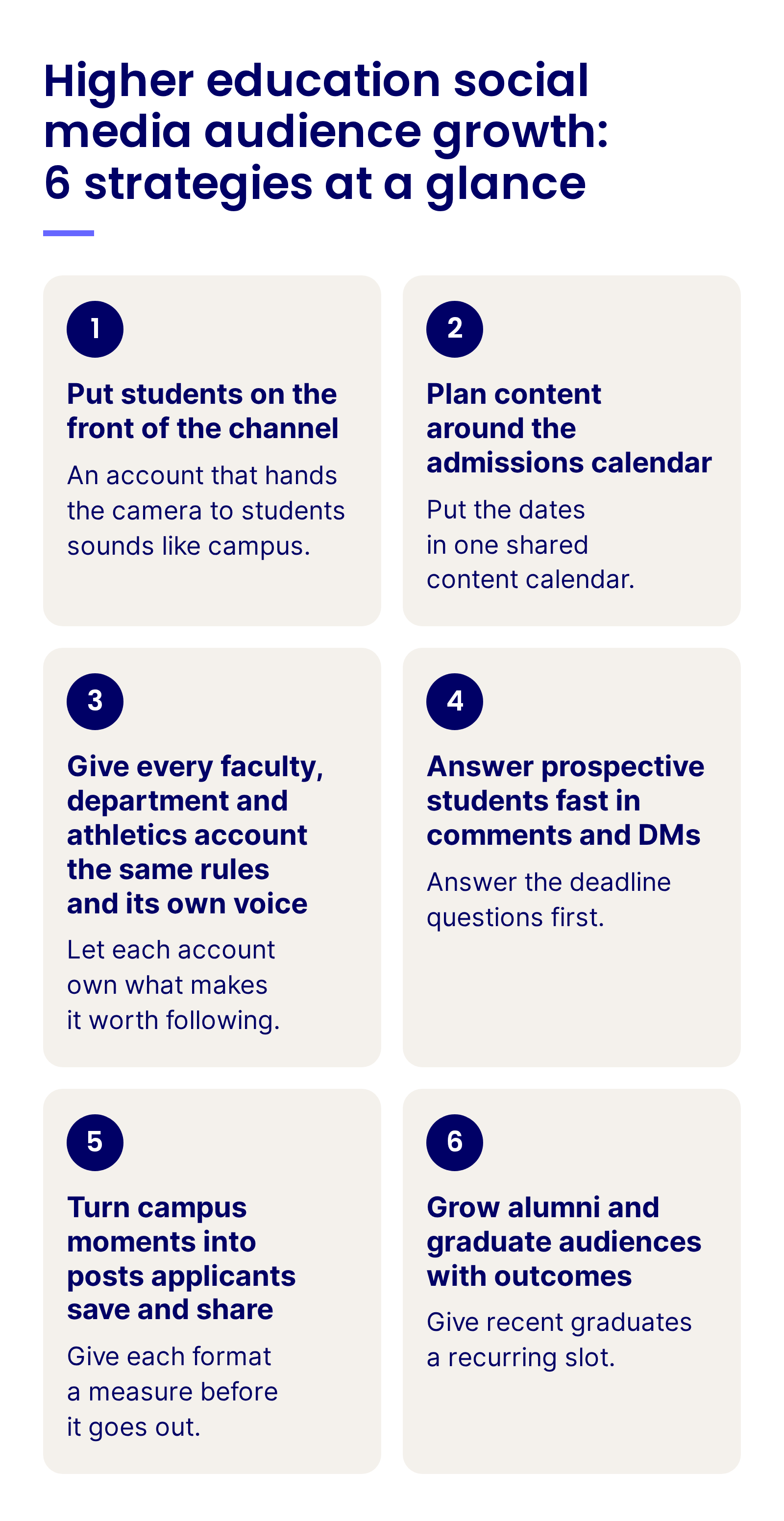
Higher education social media audience growth: 6 strategies at a glance: put students on the front of the channel, plan around the admissions calendar, give every campus account the same rules and its own voice, answer prospective students fast, turn campus moments into posts applicants save and share, and grow alumni and graduate audiences with outcomes

Channels and formats for universities

Each platform serves a different audience on campus, from the applicant scrolling at midnight to the alumnus checking in from work.

Platform Who it reaches Formats that work Common pitfall
Instagram Applicants, current students and younger alumni Carousels, Reels, Collabs with departments and student creators, Stories Posting the press release photo with a long caption
TikTok Applicants who haven’t heard of you yet Student-shot vertical video, day-in-the-life clips, campus trends Waiting for a sign-off chain until the trend is over
YouTube Families researching programs and campus life Virtual tours, lecture clips, student Q&As, Shorts Uploading full lectures with no playlists or chapters
LinkedIn Alumni, graduate applicants, employers and partners Research stories, graduate outcomes, faculty posts, vertical video Treating it as a news feed for press releases
Facebook Parents, international applicants and the local community Live video, event pages, community posts Leaving parent questions on open day posts unanswered
Reddit and student communities Applicants comparing options and current students Honest answers in threads, AMAs with staff and students Arriving with marketing copy in a community built on candor

Across these platforms, social reaches students in a way a website or an email rarely can. Many applicants find universities in their feeds before they search, they trust other students more than the brochure, and they can ask a question in a comment without filling in a form. That’s why the formats that work on every platform are the ones students make or appear in: day-in-the-life clips on TikTok (Emplifi’s TikTok marketing guide covers how to plan for it), student Q&As on YouTube, Collabs on Instagram and graduate stories on LinkedIn.

Reddit: where applicants go for the honest answer

Applicants turn to Reddit for the things a viewbook leaves out. University subreddits are usually run by students, each with its own rules, and as Emplifi’s guide to building community on Reddit puts it, strong participation “starts with listening.”

  • Read the threads about your university first: They show the questions applicants ask each other, often weeks before those questions reach your inbox.
  • Answer as a named staff member: Follow each subreddit’s rules, say who you are, and link to the official page when a fact needs checking.
  • Bring students and staff for an AMA: Agree it with the moderators first and let the people answering use their own words.

Nobody on a small team can read every campus subreddit by hand. Emplifi Listening collects Reddit mentions alongside the other networks, and its AI-driven alerts flag when negative sentiment accelerates or specific keywords spike. The team can then reply to those threads from Emplifi Community, next to every other channel.

Watch the webinar: Reddit decoded: A strategic playbook for modern marketers, Emplifi’s on-demand webinar with Reddit, walks through how brands join Reddit communities without sounding like an ad, and how teams turn those conversations into insights.

Matching content to each stage of a student’s decision

A student moves from first impression to arrival over a year or more, and families join the search halfway. Each stage needs a different post.

Step in the decision What students and families look for Posts that help Where to post
Discovering universities A feel for campus life and the programs on offer Student creator videos, day-in-the-life Reels, campus moments TikTok, Instagram Reels, YouTube Shorts
Researching and visiting Proof that the program and the place fit them Program explainers, virtual tours, open day live streams YouTube, Instagram, Facebook
Applying Clear dates, requirements and a fast answer Deadline checklists, countdowns, student Q&As, quick replies Instagram, DMs, Reddit
Deciding A reason to say yes and people to meet Admitted-student welcomes, residence tours, alumni outcomes for parents Instagram, Facebook, LinkedIn
Arriving Help finding their way Move-in guides, glossaries, orientation schedules Instagram Stories, student communities

The early stages decide the shortlist, and the generation applying now likes to take part. In Emplifi’s research on marketing across generations, nearly half of Gen Z (46%) said interactivity makes a brand’s video stand out. Put polls, quizzes, student Q&As and your strongest student content into discovery and research, while applicants are still choosing where to apply, and keep the official facts on your website one tap away.

AI in higher education social media audience growth: where it earns its place

The hard parts of university social come back every year: more accounts than people to run them, a flood of applicant questions in decision weeks, student creators who turn over each term and reports pulled account by account. AI helps most with that operational load, and the student voices stay human.

Where AI takes on the work:

  • Posts for every campus account: AI Composer generates social copy, adjusts tone and translates into more than 30 languages, and Publisher’s approval workflows route each draft for review, so a small department account can publish to standard.
  • The applicant rush in decision weeks: In Emplifi Community, AI Priority Scoring evaluates every incoming DM, comment and mention, so a deadline problem or a worrying message reaches a person first.
  • What students are saying: In Emplifi Listening, AI Query Highlights surface the key topics and sentiment shifts behind each spike, and on-demand AI summaries pull out trends and emerging risks in campus conversation.
  • One report across dozens of accounts: In Emplifi Unified Analytics, AI Wizard answers reporting questions in plain English with charts and summaries, and Saved Views keep every department reported the same way.

Fuel AI, the agentic intelligence layer built into Emplifi Fuel, builds a report across every campus account from a plain-language request, so a central manager can answer admissions and advancement without pulling each account by hand. Fuel AI won’t create, change or delete anything without your approval.

People keep the calls that carry risk: anything about a student’s wellbeing, safety or a crisis on campus, admissions decisions and financial aid for a named applicant, replies to protests or controversy, and anything involving a minor. Tell your audience when AI helps draft replies, and keep a person on every message that names a student.

How to measure university social media growth

A useful university report starts with followers by audience and account, then links them to applications, enrollment and giving.

Level Metrics to track Benchmark to compare with
Audience growth Followers gained by account and platform, split by applicant, student and alumni accounts Emplifi’s quarterly Education benchmarks, worldwide
Admissions season Reach beyond followers, saves and shares in the weeks before each deadline The same weeks in the last admissions cycle
Format mix Median interactions on carousels, Reels and single images Education post-type medians in Emplifi’s quarterly benchmarks
Campus accounts Accounts posting to standard, quiet accounts and Collabs with the main account Your last quarterly audit
Student creators Posts per creator per term, reach beyond followers and rights secured Your previous term
Community First response time on applicant questions and safety escalations handled Your response standard, checked in deadline weeks
Business outcome Inquiries, applications, deposits, event sign-ups and gifts from tracked social links Your admissions CRM and advancement data

Reporting time is a cost on a small team. On a campus where one manager reports for dozens of accounts, every hour saved there goes back into content.

Compare like with like. Measure each term against the same term last year, since a winter feed and a move-in feed serve different moments.

How the University of Waterloo powers campus storytelling with Emplifi

The University of Waterloo has dozens of independent departments and one central social media manager. Dan Ackerman carries a campus-wide footprint of student initiatives, research, rankings, crises and community moments, and the university wanted to speed up its reporting while learning what performs best on LinkedIn, Instagram, Facebook and X.

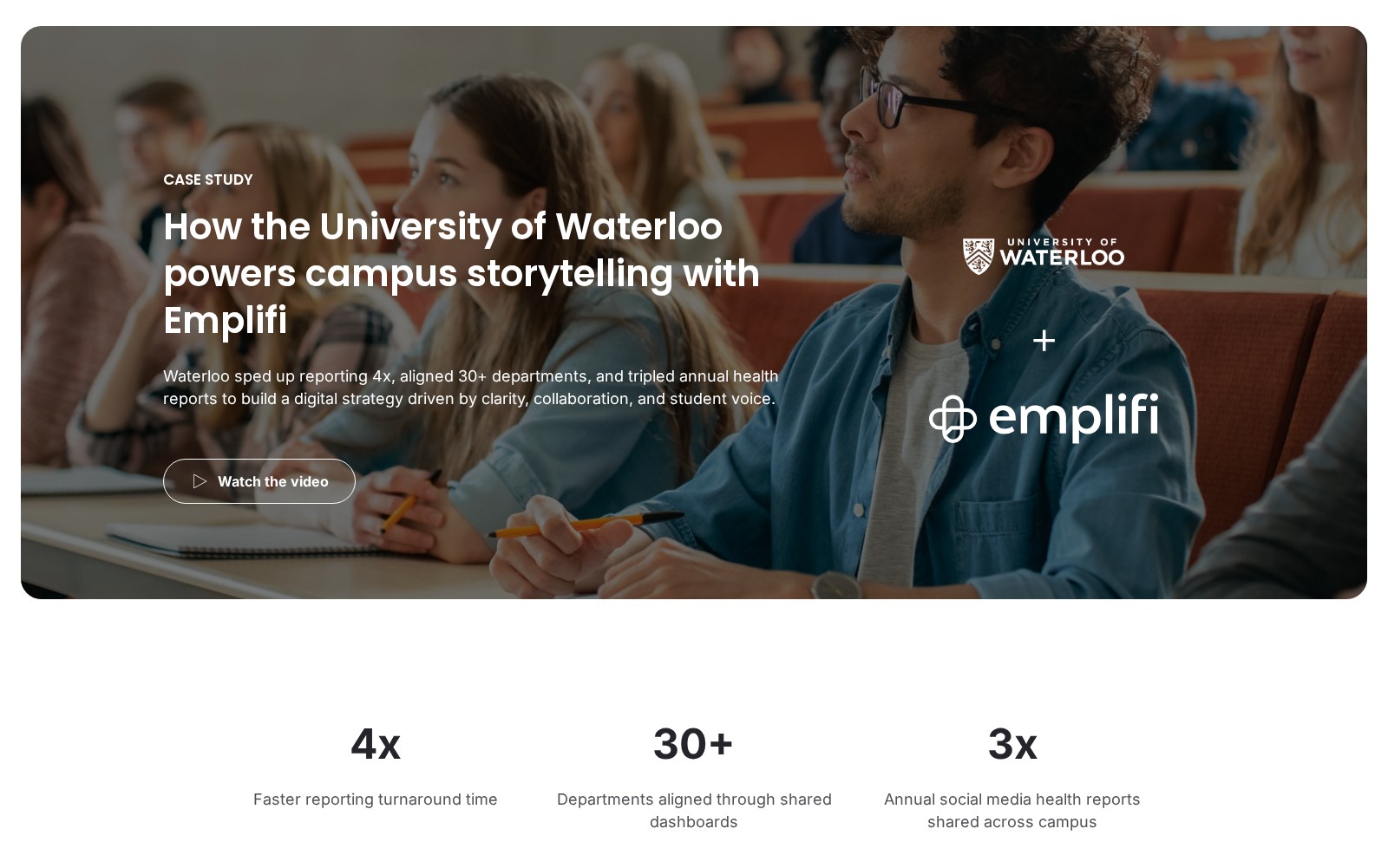
University of Waterloo customer story on emplifi.io: the headline How the University of Waterloo powers campus storytelling with Emplifi, with the University of Waterloo and Emplifi logos and three result figures

The University of Waterloo’s customer story, as published on emplifi.io.

“When you mention the word ‘social team’, that mostly means me. We have a huge portfolio and dozens of accounts across campus. Every four months, we onboard new co-op students,” says Dan Ackerman, Social Media Manager at the University of Waterloo.

With Emplifi, Waterloo set up customized dashboards, centralized scheduling and scalable reporting. Dan now produces termly analytics reports that are shared across faculties, and departments borrow insights and templates from them. Co-op student creators are trained to plan, publish and reflect on performance in Emplifi, and campaigns such as Global Futures are planned in advance with room for student voice.

Press play for a habit any small team can copy: each co-op student brings four real content ideas a term, because students know what will take off with other students. Dan Ackerman, Social Media Manager at the University of Waterloo, in an Emplifi on-demand webinar.

“Emplifi helps us understand what resonates. It shows us what our audience wants to see and helps us push out stories that matter, not just to boost engagement, but to reflect who we are as a university,” says Ackerman.

In the story’s own words, Waterloo “boosted audience engagement, improved content planning, and sped up reporting cycles.” The figures measure reporting speed, the departments aligned through shared dashboards and the social media health reports shared across campus each year.

University of Waterloo: 4x faster reporting turnaround time, 30+ departments aligned through shared dashboards, and 3x the annual social media health reports shared across campus.

Your 30/60/90-day plan

Fast track: your next application deadline is weeks away

Treat that deadline as your pilot.

  • Run strategy 2 on it: schedule the countdown, the checklist carousel and the student Q&A for the final three weeks.
  • Write approved replies on dates, documents, fees and portal problems, and agree who answers DMs in the evenings.
  • Ask two student creators for a Collab each in deadline week.
  • Set up listening on the university’s name, its nicknames and the deadline itself.

First 30 days: audit every campus account

Begin with an inventory.

  • List every faculty, department, athletics, residence and alumni account, with an owner and a last-posted date for each.
  • Pull follower growth and engagement for each account from the last two terms.
  • Collect a month of student posts about campus and flag the ones worth asking to reuse.
  • Check how long applicant questions waited for a reply in your last deadline week.

Days 31–60: build the engine

In month two, the inventory becomes a set of shared routines.

  • Write the account rules from strategy 3 and agree them with each department.
  • Recruit and brief your first cohort of student creators, with consent forms ready.
  • Map the admissions year onto one shared calendar, from discovery to move-in.
  • Write the response standard from strategy 4, with the safety route and the after-hours plan.

Days 61–90: show the results

By the third month, admissions and advancement should see the numbers.

  • Publish the first student creator Collabs and one outcomes series on LinkedIn.
  • Turn one open day presentation into a carousel and a Reel, and compare them with your usual posts.
  • Share a report on reach beyond followers, response times and follower growth for each audience, then set targets for the next deadline with admissions.

Final thoughts: Every question in the comments is a chance to be chosen

Go back to the high school senior asking about first-year housing a week before the deadline. A student creator answers her in the comments that evening, the checklist she needs is already saved on her phone, and her dad finds the scholarship date in a pinned post.

A small team can do all of that with students on the channel, a calendar that matches the applicant’s year and rules every account can follow.

Emplifi takes on the busywork behind it. Department accounts plan in Emplifi Publisher against the same calendar, late-night questions land in one Emplifi Community inbox, and the team’s time goes into the content students actually watch.

If a deadline is close, start with the fast track. If not, start with the inventory.

Ready to grow your university’s audience across every campus account? Book a demo with the Emplifi team to see how.

Already an Emplifi customer? Talk to your Customer Success Manager.

Frequently asked questions

A university serves four audiences with one brand: prospective students, current students, families and alumni. It publishes to an admissions calendar that never moves, across dozens of department, athletics and residence accounts, and it carries a duty of care for young followers. For the basics of planning, see our guide to building a higher education social media strategy.

Recruit student creators by program and year, give each one a short monthly brief, and co-publish their posts as Instagram Collabs. Get written consent before reusing a student’s content, label paid or sponsored posts clearly, and choose creators the way brands choose collaborators: for fit with the audience before follower count.

Plan it around the admissions calendar: discovery content months before applications open, visit and open day content in the research months, checklists and countdowns in the weeks before each deadline, welcomes when decisions go out, and arrival guides before move-in. Put the key dates for the year in one shared calendar so every department sees them.

Give a department its own account when it has an audience and an owner with time to run it. Run every account under the same rules, with brand basics, a safety route and an approval path, and manage them from one place. Archive accounts that have gone quiet, and use Collabs so the main account and the department reach both audiences.

Yes, with consent. Ask the student in the comments or by DM, link to your terms, wait for a yes and keep a record of each permission, as in Emplifi’s do’s and don’ts of UGC curation. Ask again before student content appears in an ad, get a parent’s or guardian’s permission for anyone under 18, and credit the student wherever the post appears.

Publish a response standard and staff it hardest in the two weeks before each deadline, when applicants ask about dates, documents and portal problems. Reply to general questions in public, take personal details to DMs and hand financial aid or visa questions to a named person in the right office. Track first response time and resolution by week of the admissions year. Anything about an emergency skips the social queue and goes straight to campus safety.

Track followers by audience and account, reach beyond followers, saves and shares in deadline weeks, response times on applicant questions and the student creator program’s output. Compare each term with the same term last year, and link the metrics to inquiries, applications, deposits and gifts from tracked social links.

Insights from Emplifi

Explore our latest blogs and comprehensive guides designed to help you master customer experience strategies and drive growth.

Social media management for higher education

Emplifi empowers higher education marketers with the social media marketing and reporting tools they need to engage prospects, students, alumni, and...

How the University of Waterloo powers campus storytelling with Emplifi

Waterloo sped up reporting 4x, aligned 30+ departments, and tripled annual health reports to build a digital strategy driven by clarity,...

How student-led storytelling became a measurable growth engine

With Emplifi, Follett Higher Education scaled authentic student-led content across 20 universities, streamlining workflows and proving performance...

Worldwide Social Media Benchmarks: Education Q3 2026

Q3 2026 education social media benchmarks: Instagram and Facebook engagement, impressions, winning formats, top education accounts and ad costs.

Ready to fuel your teams with A-CX?

Discover what Emplifi can do for you. We turn small teams into large ones, and large teams into well oiled machines, but either way, we offer the rocket ship, you just need to jump on.

What can you expect?

  • A live walkthrough of Emplifi Fuel tailored to your specific social marketing, commerce, and care needs
  • A benchmark of how your brand performs against peers in your industry
  • A partner who understands your business, and 22,000 others
  • A concrete action plan to go from disjointed teams to A-CX
Get a demo
This site is registered on wpml.org as a development site. Switch to a production site key to remove this banner.